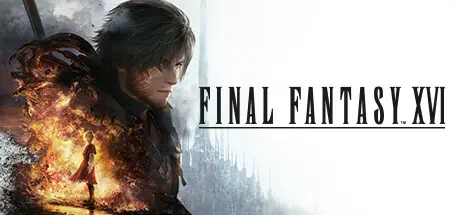
July 19, 20251 yr FINAL FANTASY XVI Game DetailsRelease Name: FINAL FANTASY XVIGame Version: v1.03 | Build 17373706Release Date: 17 Sep, 2024Publisher: Square EnixDeveloper: Square EnixBased On: CSF & GoldbergFINAL FANTASY XVI Direct Download - Game OverviewThe first fully fledged Action RPG in the mainline Final Fantasy series.An epic dark fantasy world where the fate of the land is decided by the mighty Eikons and the Dominants who wield them. This is the tale of Clive Rosfield, a warrior granted the title “First Shield of Rosaria” and sworn to protect his younger brother Joshua, the dominant of the Phoenix. Before long, Clive will be caught up in a great tragedy and swear revenge on the Dark Eikon Ifrit, a mysterious entity that brings calamity in its wake.Titanic Clashes - When rival Dominants come head to head, epic battles between their Eikons ensue!Eikonic Action - Clive utilizes the powers of multiple Eikons in breakneck battle!A plethora of powerful swordplay techniques and Eikonic abilities lie within Clive's remit—and it is up to you to decide which ones you wish to learn or upgrade. If you're having trouble choosing, upgrades can be unlocked automatically.Story-focused mode is recommended for those players who are less comfortable with action games and wish to focus more on the game's story elements. In this mode, Clive will automatically evade some attacks, and epic Eikonic combos can be triggered with simple button presses. Action-focused mode, where Clive's every action is controlled by the player, is available for those who are confident in their skill—or want to test it.FINAL FANTASY XVI Screenshots FINAL FANTASY XVI TrailerFINAL FANTASY XVI System Requirements Minimum RequirementsRecommended Requirements OSWindows® 10 / 11 64-bitWindows® 10 / 11 64-bit ProcessorAMD Ryzen™ 5 1600 / Intel® Core™ i5-8400AMD Ryzen™ 7 5700X / Intel® Core™ i7-10700 Memory16 GB RAM16 GB RAM GraphicsAMD Radeon™ RX 5700 / Intel® Arc™ A580 / NVIDIA® GeForce® GTX 1070AMD Radeon™ RX 6700 XT / NVIDIA® GeForce® RTX 2080 DirectXVersion 12Version 12 Storage170 GB available space170 GB available space How to Install FINAL FANTASY XVINo Installation Needed: The game is pre-installed. Just download and extract.Extract: Right-click the .zip or .rar file and select "Extract Here" or "Extract to folder".Run: Find ffxvi.exe inside the folder and run it.Game Data & SettingsChange Language: Edit the file located at steam_settings/Configs.user.iniSave Data Location: %USERPROFILE%/My Documents/My Games/FINAL FANTASY XVI/Steam/Important NotesTo support the Game Developer, Get It On Steam.DLC ListAdded DLCsFINAL FANTASY XVI - Sixteen Bells Orchestrion RollFINAL FANTASY XVI - Cait Sith CharmFINAL FANTASY XVI - Brave BladeFINAL FANTASY XVI Expansion PassFINAL FANTASY XVI The Rising TideFINAL FANTASY XVI Echoes of the Fallen🔥DOWNLOAD AREA🔥🔹150.28 GB🔹Select the server you want to download with ZeiLink.Download





Create an account or sign in to comment