



Skip to content
View in the app

A better way to browse. Learn more.

ZeiGames

A full-screen app on your home screen with push notifications, badges and more.

To install this app on iOS and iPadOS
  1. Tap the Share icon in Safari
  2. Scroll the menu and tap Add to Home Screen.
  3. Tap Add in the top-right corner.
To install this app on Android
  1. Tap the 3-dot menu (⋮) in the top-right corner of the browser.
  2. Tap Add to Home screen or Install app.
  3. Confirm by tapping Install.

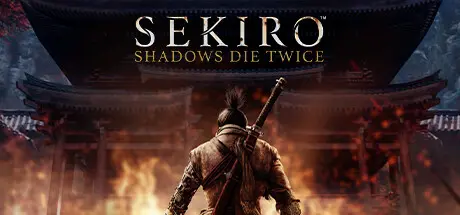
Sekiro: Shadows Die Twice - GOTY Edition Free Download (v1.06)
Featured Replies

header.webp

Game Details

Release Name: Sekiro: Shadows Die Twice - GOTY Edition

Game Version: v1.06 | Build 5794815

Release Date: 21 Mar, 2019

Publisher: Activision (Excluding Japan and Asia), FromSoftware, Inc. (Japan), 方块游戏 (Asia)

Developer: FromSoftware, Inc.

Based On: CSF & Goldberg

Sekiro: Shadows Die Twice - GOTY Edition Direct Download - Game Review

In Sekiro: Shadows Die Twice you are the 'one-armed wolf', a disgraced and disfigured warrior rescued from the brink of death. Bound to protect a young lord who is the descendant of an ancient bloodline, you become the target of many vicious enemies, including the dangerous Ashina clan. When the young lord is captured, nothing will stop you on a perilous quest to regain your honor, not even death itself.

Explore late 1500s Sengoku Japan, a brutal period of constant life and death conflict, as you come face to face with larger than life foes in a dark and twisted world. Unleash an arsenal of deadly prosthetic tools and powerful ninja abilities while you blend stealth, vertical traversal, and visceral head to head combat in a bloody confrontation.

Take Revenge. Restore Your Honor. Kill Ingeniously.


Game Screenshots

screenshot screenshot screenshot screenshot


Game Trailer


System Requirements

Minimum Requirements

Recommended Requirements

OS

Windows 7 64-bit | Windows 8 64-bit | Windows 10 64-bit

Windows 7 64-bit | Windows 8 64-bit | Windows 10 64-bit

Processor

Intel Core i3-2100 | AMD FX-6300

Intel Core i5-2500K | AMD Ryzen 5 1400

Memory

4 GB RAM

8 GB RAM

Graphics

NVIDIA GeForce GTX 760 | AMD Radeon HD 7950

NVIDIA GeForce GTX 970 | AMD Radeon RX 570

DirectX

Version 11

Version 11

Storage

25 GB available space

25 GB available space


Installation Guide

  1. No Installation Needed: The game is pre-installed. Just download and extract.

  2. Extract: Right-click the .zip or .rar file and select "Extract Here" or "Extract to folder".

  3. Put the Sekiro Folder here! "C:\Program Files (x86)\Steam\steamapps\common\"

  4. Run: Find Sekiro.exe inside the folder and run it.

Game Data & Settings

  • Change Language: Edit the file located at steam_settings/Configs.user.ini

  • Save Data Location: %USERPROFILE%/AppData/Roaming/Sekiro/

Important Notes

🔥DOWNLOAD AREA🔥

🔹13.22 GB🔹

Select the server you want to download with ZeiLink.

Download

  • 4 months later...
  • Replies 3
  • Views 3.6k
  • Created
  • Last Reply

Top Posters In This Topic

Posted Images

  • 3 months later...

Create an account or sign in to comment

Recently Browsing 0

  • No registered users viewing this page.

Account

Navigation

Search

Search

🔎 Search Tip
For exact results, search using "game name" .
Without quotes, results may include unrelated titles.

Configure browser push notifications

Chrome (Android)
  1. Tap the lock icon next to the address bar.
  2. Tap Permissions → Notifications.
  3. Adjust your preference.
Chrome (Desktop)
  1. Click the padlock icon in the address bar.
  2. Select Site settings.
  3. Find Notifications and adjust your preference.
