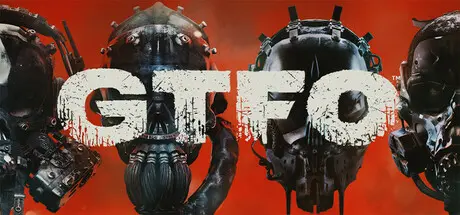
July 18, 20251 yr GTFO Game DetailsRelease Name: GTFOGame Version: Build 14562266Release Date: 9 Dec, 2021Publisher: 10 ChambersDeveloper: 10 ChambersBased On: CSF & OFMEGTFO Direct Download - Game OverviewYour team of prisoners is dropped into the Rundown when a new Work Order is issued by The Warden, the mysterious entity holding you captive. The Rundown is a series of expeditions, each one taking you deeper into a decayed research facility called The Complex. You descend level by level, scavenging tools and resources that help you survive in a perilous network of tunnels where gruesome creatures lurk in every shadow. Complete all the expeditions to fulfill the Work Order and clear the Rundown.GTFO is designed for prisoner teams of four, putting cooperation at the core of the experience. Bots can fill your lineup if you’re short one or two players. They’ll follow you through expeditions, sneak when you sneak, collect resources, and fight alongside you. They’re a good fallback, but the level of communication and tactical combat in GTFO means it’s best to play with people.A strategy is necessary to clear the Rundown. Before you drop into The Complex, your team needs to decide what gear, boosters, and weapons to bring. You must also balance the team, identifying the function of each prisoner so that you know what to do when things go wrong. And they will. They always do.Stealth and coordination are necessary to survive as you maneuver through The Complex. Many of the creatures of GTFO are suspended in a state of hibernation, so light, noise, and vibrations can easily wake up these Sleepers. And if one of them knows you’re there, they all know. That’s when things get messy.You’ll need heavy weaponry and a clear mind when the shit hits the fan. Check your line of fire, force them through bottlenecks, set up your kill zones and reload every chance you get. These creatures stop at nothing, and neither should you. Once the mayhem starts, you have no choice but to put every last one of them down.GTFO Screenshots GTFO TrailerGTFO System Requirements Minimum RequirementsRecommended Requirements OSWindows 7 64-Bit or laterWindows 10 64-Bit ProcessorIntel Core i5 2500K or AMD equivalentIntel Core i7-7700 or AMD equivalent Memory8 GB RAM16 GB RAM GraphicsNVIDIA GeForce GT 1030 or Radeon HD 7850NVIDIA GeForce GTX 1060 or Radeon RX 5500 XT DirectXVersion 11Version 11 Storage15 GB available space15 GB available space How to Install GTFONo Installation Needed: The game is pre-installed. Just download and extract.Extract: Right-click the .zip or .rar file and select "Extract Here" or "Extract to folder".Run: Find GTFO.exe inside the folder and run it.Game Data & SettingsChange Language: Edit the file located at OnlineFix.iniImportant NotesTo support the Game Developer, Get It On Steam.🔥DOWNLOAD AREA🔥🔹7.20 GB🔹Select the server you want to download with ZeiLink.Download





Create an account or sign in to comment