



Theme
Language

Layout
Skip to content
View in the app

A better way to browse. Learn more.

ZeiGames

A full-screen app on your home screen with push notifications, badges and more.

To install this app on iOS and iPadOS
  1. Tap the Share icon in Safari
  2. Scroll the menu and tap Add to Home Screen.
  3. Tap Add in the top-right corner.
To install this app on Android
  1. Tap the 3-dot menu (โ‹ฎ) in the top-right corner of the browser.
  2. Tap Add to Home screen or Install app.
  3. Confirm by tapping Install.

Call of Duty: World at War Free Download (v1.7.1263.0)
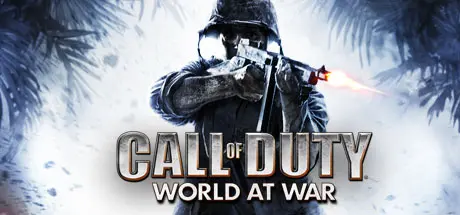
Call of Duty: World at War

Featured Replies

Call of Duty: World at War cover art

Call of Duty: World at War Game Details

Release Name:ย Call of Duty: World at War

Game Version:ย v1.7.1263.0 | Build 252004

Release Date: 18 Nov, 2008

Publisher: Activision

Developer: Treyarch

Based On:ย RELOADED

Call of Duty: World at War Direct Download - Game Overview

Call of Duty is back, redefining war like you've never experienced before. Building on the Call of Duty 4ยฎ: Modern Warfare engine, Call of Duty: World at War immerses players into the most gritty and chaotic WWII combat ever experienced. Players band together to survive the most harrowing and climactic battles that led to the demise of the Axis powers on the European and Pacific fronts. The title offers an uncensored experience with unique enemies and combat variety, including Kamikaze fighters, ambush attacks, Banzai charges and cunning cover tactics, as well as explosive on-screen action through the all new four-player cooperative campaign. The addictive competitive multiplayer has also been enhanced with new infantry and vehicle-based action, a higher level cap, more weapons, and a host of new Perks, maps and challenges.


Call of Duty: World at War Screenshots

Call of Duty: World at War screenshot 1 Call of Duty: World at War screenshot 2 Call of Duty: World at War screenshot 3 Call of Duty: World at War screenshot 4


Call of Duty: World at War Trailer


Call of Duty: World at War System Requirements

Minimum Requirements

Recommended Requirements

OS

Windows XP/Vista/7

-

Processor

Pentium 4 @ 3 GHz/AMD 64 3200+

-

Memory

512 MB (1 GB for Vista)

-

Graphics

256 MB (nVidia GeForce 6600/ATI Radeon X1600)

-

DirectX

DirectX 9.0c

-

Storage

8 GB Free

-


How to Install Call of Duty: World at War

  1. No Installation Needed: The game is pre-installed. Just download and extract.

  2. Extract: Right-click the .zip or .rar file and select "Extract Here" or "Extract to folder".

  3. Run: Find CoDWaW.exe inside the folder and run it.

Important Notes

๐Ÿ”ฅDOWNLOAD AREA๐Ÿ”ฅ

๐Ÿ”น5.29 GB๐Ÿ”น

Select the server you want to download with ZeiLink.

Download

  • Views 1.6k
  • Created
  • Last Reply

Posted Images

Create an account or sign in to comment

Recently Browsing 0

  • No registered users viewing this page.

Account

Navigation

Search

Search

๐Ÿ”Ž Search Tip
For exact results, search using "game name" .
Without quotes, results may include unrelated titles.

Configure browser push notifications

Chrome (Android)
  1. Tap the lock icon next to the address bar.
  2. Tap Permissions โ†’ Notifications.
  3. Adjust your preference.
Chrome (Desktop)
  1. Click the padlock icon in the address bar.
  2. Select Site settings.
  3. Find Notifications and adjust your preference.
