



Skip to content
View in the app

A better way to browse. Learn more.

ZeiGames

A full-screen app on your home screen with push notifications, badges and more.

To install this app on iOS and iPadOS
  1. Tap the Share icon in Safari
  2. Scroll the menu and tap Add to Home Screen.
  3. Tap Add in the top-right corner.
To install this app on Android
  1. Tap the 3-dot menu (⋮) in the top-right corner of the browser.
  2. Tap Add to Home screen or Install app.
  3. Confirm by tapping Install.

Spirit City: Lofi Sessions Free Download (v2.4.1 + ALL DLC)
Featured Replies

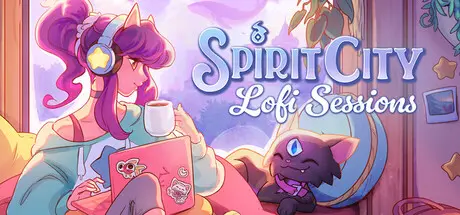
header.webp

Game Details

Release Name: Spirit City: Lofi Sessions

Game Version: v2.4.1 | Build 23508815

Release Date: 8 Apr, 2024

Publisher: Mooncube Games

Developer: Mooncube Games

Based On: CSF & Goldberg

Spirit City: Lofi Sessions Direct Download - Game Review

Spirit City: Lofi Sessions is a gamified focus tool, set to a soothing lofi soundtrack.

With regular updates — Expect new features and content throughout 2026!

Discover and collect Spirits, customize your cozy virtual space, and facilitate your real-life tasks with a collection of handy features designed to improve concentration and ease stress.

Soft, soothing lofi music and dynamic soundscapes such as pattering rain and crackling fire provide the perfect background ambiance to relieve stress and unwind. All music in game is fully stream-friendly, perfect for featuring on Youtube or Twitch as a pleasing background.

  • Homework Radio music will be available until August 2028 (license period)

Customize both your character and your bedroom to suit your mood, selecting from a multitude of fashion, hairstyle, color, and room decor options. From hoodies to horns, bookshelves to boba teas, fairy lights to fireplaces, there’s dozens of options available for you to flex your unique personality and style.

Explore different combinations of room activities, soundscapes, and decor options to lure out the mischievous Spirits that populate the world. Discover and collect them as you focus on your tasks. You'll never be alone with a Spirit companion by your side. And yes, every Spirit can be petted too!

  • Listen along to a carefully curated catalog of chill lofi beats, with a selection of themed playlists for every mood and occasion;

  • Stay organized using integrated productivity tools, including a to-do list, session timer, habit tracker and journal;

  • Create your own avatar. Choose from a variety of hairstyles, outfits, color options, and more to bring to life your own unique Spirit City persona;

  • Spruce up your room to design your ideal cozy retreat, swapping between different wallpapers, flooring, furniture and wall decor;

  • Immerse yourself with interactive soundscapes that change the world in real-time to suit your preferred vibe, from the pitter-patter of rain on a window to the crackling of a toasty fireplace;

  • Decipher hints to lure curious spirits out into the open with the right combination of game settings, unlocking them as your future companions;

  • Earn XP and level up over time, and by using the game’s features to their fullest. Unlock new cosmetics and customization choices as you progress;

  • Stream your sessions worry-free thanks to the game’s fully stream-friendly music library - perfect for co-working streams or as a background on Twitch or Youtube;

  • Expand your song catalog with the built-in web player, providing even more options for the musically adventurous;

  • Enhance your everyday activities. Spirit City: Lofi Sessions offers a pleasing and distraction-free space for you to better enjoy and concentrate on your work and hobbies.


Game Screenshots

screenshot screenshot screenshot screenshot


Game Trailer


System Requirements

Minimum Requirements

Recommended Requirements

OS

Windows 10/11

Windows 10/11

Processor

Intel Core i5-8600 / AMD Ryzen 5 3600

Intel Core i7-9700 / AMD Ryzen 5 5600

Memory

8 GB RAM

8 GB RAM

Graphics

NVIDIA GTX 960 / Radeon HD7870

NVIDIA GTX 1060 / Radeon RX580

DirectX

Version 11

Version 12

Storage

5 GB available space

5 GB available space


Installation Guide

  1. No Installation Needed: The game is pre-installed. Just download and extract.

  2. Extract: Right-click the .zip or .rar file and select "Extract Here" or "Extract to folder".

  3. Run: Find SpiritCity.exe inside the folder and run it.

Game Data & Settings

  • Change Language: Edit the file located at steam_settings/Configs.user.ini

  • Save Data Location: %USERPROFILE%/AppData/Local/SpiritCity/Saved/SaveGames

Important Notes

DLC List

Added DLCs

Spirit City: Lofi Sessions - Enchanted Garden DLC

Spirit City: Lofi Sessions - All Aboard! DLC

Spirit City: Lofi Sessions - Winter Spirit Cosmetics Pack

Spirit City: Lofi Sessions - Cozy Kitchen DLC

Spirit City: Lofi Sessions - Supporter pack

🔥DOWNLOAD AREA🔥

🔹4.39 GB🔹

Select the server you want to download with ZeiLink.

Download

  • DicDale changed the title to Spirit City: Lofi Sessions Free Download (v2.4.1 + ALL DLC)

  • Replies 1
  • Views 763
  • Created
  • Last Reply

Top Posters In This Topic

Most Popular Posts

Posted Images

Create an account or sign in to comment

Recently Browsing 0

  • No registered users viewing this page.

Account

Navigation

Search

Search

🔎 Search Tip
For exact results, search using "game name" .
Without quotes, results may include unrelated titles.

Configure browser push notifications

Chrome (Android)
  1. Tap the lock icon next to the address bar.
  2. Tap Permissions → Notifications.
  3. Adjust your preference.
Chrome (Desktop)
  1. Click the padlock icon in the address bar.
  2. Select Site settings.
  3. Find Notifications and adjust your preference.