



Skip to content
View in the app

A better way to browse. Learn more.

ZeiGames

A full-screen app on your home screen with push notifications, badges and more.

To install this app on iOS and iPadOS
  1. Tap the Share icon in Safari
  2. Scroll the menu and tap Add to Home Screen.
  3. Tap Add in the top-right corner.
To install this app on Android
  1. Tap the 3-dot menu (⋮) in the top-right corner of the browser.
  2. Tap Add to Home screen or Install app.
  3. Confirm by tapping Install.

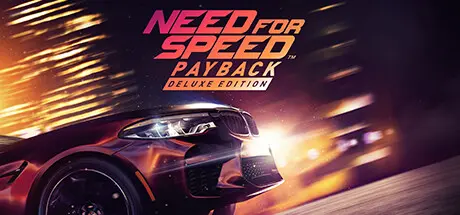
Need for Speed Payback Free Download (v1.0.51.15364 + 4 DLCs)
Featured Replies

header.webp

Game Details

Release Name: Need for Speed Payback

Game Version: v1.0.51.15364

Release Date: 18 Jun, 2020

Publisher: Electronic Arts

Developer: Ghost Games

Based On: CPY

Need for Speed Payback Direct Download - Game Review

Set in the underworld of Fortune Valley, you and your crew were divided by betrayal and reunited by revenge to take down The House, a nefarious cartel that rules the city’s casinos, criminals and cops. In this corrupt gambler’s paradise, the stakes are high and The House always wins.

Craft unique rides with deeper performance and visual customization than ever before. Push them to the limit when you narrowly escape the heat in epic cop battles. From insane heist missions to devastating car battles to jaw-dropping set piece moments, Need for Speed Payback delivers an edge-of-your-seat, adrenaline-fueled action-driving fantasy.

Key Features:

  • Scrap to stock to supercar. Your car is at the center of everything you do in Need for Speed Payback. Endlessly fine-tune your performance with each of the five distinct car classes (Race, Drift, Off-Road, Drag and Runner) to turn the tables on the competition in any race, mission or challenge.

  • Live out an action-driving fantasy. Play as three distinct characters united by one common goal: revenge. Tyler, Mac and Jess team up to even the score against all odds, and enter the ultimate race to take down The House. Battle cops with ever-increasing intensity, race against rivals across the city and drive on and off-road through mountains, canyons and deserts.

  • High stakes competition. Win big with all-new Risk vs Reward gameplay. Intense cop chases mean the stakes have never been higher. Challenge your friends or potential rivals via Autolog recommendations throughout the events or go head-to-head in classic online leaderboards.


Game Screenshots

screenshot screenshot screenshot screenshot


Game Trailer


System Requirements

Minimum Requirements

Recommended Requirements

OS

64-bit Windows 7 or later

64-bit Windows 10 or later

Processor

Intel i3 6300 @ 3.8GHz or AMD FX 8150 @ 3.6GHz with 4 hardware threads

Intel i5 4690K @ 3.5GHz or AMD FX 8350 @ 4.0GHz with 4 hardware threads

Memory

6 GB RAM

8 GB RAM

Graphics

NVIDIA GeForce® GTX 750 Ti or AMD Radeon HD 7850 or equivalent DX11 compatible GPU with 2GB of memory

AMD Radeon RX 480 4GB, NVIDIA GeForce® GTX 1060 6GB or equivalent DX11 compatible GPU with 4GB of memory

DirectX

Version 11

Version 11

Storage

30 GB available space

30 GB available space


Installation Guide

  1. No Installation Needed: The game is pre-installed. Just download and extract.

  2. Extract: Right-click the .zip or .rar file and select "Extract Here" or "Extract to folder".

  3. Run: Find NeedforSpeedPayback.exe inside the folder and run it.

Important Notes

DLC List

Added DLCs

  1. Need for Speed Payback: Pontiac Firebird & Aston Martin DB5 Superbuild Bundle

  2. Need for Speed Payback: Chevrolet Colorado ZR2, Range Rover Sport SVR & Alfa Romeo Quadrifoglio Bundle

  3. Need for Speed Payback - All DLC Cars Bundle

  4. Need for Speed Payback - Fortune Valley Map Shortcuts

🔥DOWNLOAD AREA🔥

🔹20.46 GB🔹

Select the server you want to download with ZeiLink.

Download

  • Views 1.4k
  • Created
  • Last Reply

Posted Images

Create an account or sign in to comment

Recently Browsing 0

  • No registered users viewing this page.

Account

Navigation

Search

Search

🔎 Search Tip
For exact results, search using "game name" .
Without quotes, results may include unrelated titles.

Configure browser push notifications

Chrome (Android)
  1. Tap the lock icon next to the address bar.
  2. Tap Permissions → Notifications.
  3. Adjust your preference.
Chrome (Desktop)
  1. Click the padlock icon in the address bar.
  2. Select Site settings.
  3. Find Notifications and adjust your preference.
