



Skip to content
View in the app

A better way to browse. Learn more.

ZeiGames

A full-screen app on your home screen with push notifications, badges and more.

To install this app on iOS and iPadOS
  1. Tap the Share icon in Safari
  2. Scroll the menu and tap Add to Home Screen.
  3. Tap Add in the top-right corner.
To install this app on Android
  1. Tap the 3-dot menu (โ‹ฎ) in the top-right corner of the browser.
  2. Tap Add to Home screen or Install app.
  3. Confirm by tapping Install.

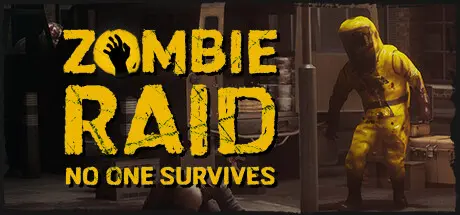
ZOMBIE RAID: No One Survives Free Download (Build 18307375 + Online)
Featured Replies

header.webp

Game Details

Release Name:ย ZOMBIE RAID: No One Survives

Game Version:ย Build 18307375

Release Date: 12 Jul, 2024

Publisher: Red Dot Studio

Developer: Red Dot Studio

Based On:ย CSF & OFME

ZOMBIE RAID: No One Survives Direct Download - Game Review

Welcome to the world of ZOMBIE RAID โ€” an atmospheric PvP top-down shooter, where the intensity of battles merges with the strategic depth of character progression. Immerse yourself in a dynamic survival world where every shot, every choice matters.

  • REALISTIC BALLISTICS:
    Master the art of precise shooting in conditions of realistic ballistics. Each shot becomes crucial, and your shooting skills are vital in the midst of chaos and a zombie apocalypse.

  • OBSTACLE PENETRATION:
    Break through cover using an advanced obstacle penetration system. Strategically use the environment, knowing that bullets realistically pierce obstacles, unveiling new tactical possibilities.

  • GAS PROPAGATION:
    Engage in tactical gameplay with advanced gas dispersion and smoke simulation that adds a strategic element to every encounter.

  • WEAPON UPGRADES:
    Customize and upgrade your arsenal with a comprehensive weapon upgrade system. Transform your favorite weapons into instruments of mass destruction tailored for your playstyle.

  • CHARACTER SKILLS:
    Customize your character to your preferred playstyle with a diverse set of personal perks. Choose from various abilities that amplify your strengths and compensate for weaknesses, creating a unique and personalized build..

  • DIVERSE CHARACTERS:
    Choose from four distinct characters, each with a unique playstyle and abilities:
    โ–ซ RIFLEMAN: Frontline warrior with proficiency in armor and heavy weaponry.
    โ–ซ SNIPER: Master of precision shooting and stealth, eliminating enemies from a distance.
    โ–ซย ENGINEER: Tactical expert with skills in setting traps and fortifications.
    โ–ซ MEDIC: Key support, capable of healing and reviving teammates on the brink of death.
    GAME MODES

  • RAID: ( NOT AVAILABLE, Works in progress )
    Raid infected city, kill zombies and collect loot. Beware of other raiders on your way.

  • SQUAD COMBAT:
    Unite in squads of four, where each character contributes to victory with unique abilities.

  • DEATHMATCH:
    Showcase your unique character build in a "everyone for themselves" mode, where selected perks and upgraded weapons can turn the tide of battle.

  • DUEL: ( NOT AVAILABLE, Works in progress )
    Test your abilities in one-on-one PvP duels, demonstrating the strength of your chosen playstyle.

  • HORDE:
    Cooperate with other players, using both upgraded weapons and personal perks to withstand endless waves of zombies.


Game Screenshots

screenshot screenshot screenshot screenshot


Game Trailer


System Requirements

Minimum Requirements

Recommended Requirements

OS

Windows 10 64 bit

Windows 10 or 11 64 bit

Processor

Intel i5 3.3 GHz

Intel i7 3.7 GHz

Memory

8 GB RAM

16 GB RAM

Graphics

nVidia GTX 890 (6 GB)

nVidia GTX 1080 (8 GB)

DirectX

Version 11

Version 12

Storage

15 GB available space

15 GB available space


Installation Guide

  1. No Installation Needed: The game is pre-installed. Just download and extract.

  2. Extract: Right-click the .zip or .rar file and select "Extract Here" or "Extract to folder".

  3. Run: Sign in Steam Account and find ZombieArena.exe inside the folder and run it.

Game Data & Settings

  • Change Language: Edit the file located at OnlineFix.ini

Important Notes

๐Ÿ”ฅDOWNLOAD AREA๐Ÿ”ฅ

๐Ÿ”น9.51 GB๐Ÿ”น

Select the server you want to download with ZeiLink.

Download

  • Views 1.3k
  • Created
  • Last Reply

Posted Images

Create an account or sign in to comment

Recently Browsing 0

  • No registered users viewing this page.

Account

Navigation

Search

Search

๐Ÿ”Ž Search Tip
For exact results, search using "game name" .
Without quotes, results may include unrelated titles.

Configure browser push notifications

Chrome (Android)
  1. Tap the lock icon next to the address bar.
  2. Tap Permissions โ†’ Notifications.
  3. Adjust your preference.
Chrome (Desktop)
  1. Click the padlock icon in the address bar.
  2. Select Site settings.
  3. Find Notifications and adjust your preference.
