



Skip to content
View in the app

A better way to browse. Learn more.

ZeiGames

A full-screen app on your home screen with push notifications, badges and more.

To install this app on iOS and iPadOS
  1. Tap the Share icon in Safari
  2. Scroll the menu and tap Add to Home Screen.
  3. Tap Add in the top-right corner.
To install this app on Android
  1. Tap the 3-dot menu (โ‹ฎ) in the top-right corner of the browser.
  2. Tap Add to Home screen or Install app.
  3. Confirm by tapping Install.

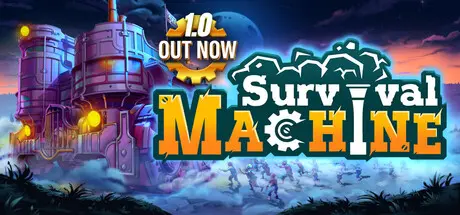
Survival Machine Free Download (v2.3.2025.05.08.20 + Online)
Featured Replies

header.webp

Game Details

Release Name:ย Survival Machine

Game Version:ย v2.3.2025.05.08.20 | Build 18393255

Release Date: 7 May, 2025

Publisher: Games Operators, PlayWay S.A.

Developer: Grape Pickers

Based On:ย CSF & Goldberg

Survival Machine Direct Download - Game Review

Survival Machine is a 4 player co-op, 3rd person, survival-adventure game set in vibrant, diverse landscapes. Navigate the ever-changing world aboard the colossal Machine that doubles as your fortress, homestead, and transport. Whether braving the game solo or with friends, explore biomes full of random challenges to gather resources, craft new upgrades, and build structures that will help you survive.

Follow your pathway through the colorful lands full of engaging challenges, and varied mysteries to uncover. Precious rewards are lurking for you in every corner. The more you search, the more you encounter platforming challenges, combat arenas, and hidden secrets.

Look around and plan your steps to find the way through the parkour challenges and use personal transport options like gliders and ziplines to explore even the most daunting terrains and hard-to-reach places. Run around solo or team up with your friends to travel together and uncover all the secrets ahead.

At the heart of your adventure lies your trusty Machine, a versatile vehicle you can upgrade and customize to brave the toughest terrains lying ahead. Use all your exploration skills to unlock the path before you and overcome every obstacle that will stand in your Machineโ€™s way!

To keep your moving base safe and ready for an onward journey, make sure itโ€™s prepared for diverse lands and extreme weather in this half-randomly generated sandbox.


Game Screenshots

screenshot screenshot screenshot screenshot


Game Trailer


System Requirements

Minimum Requirements

Recommended Requirements

OS

Windows 10

Windows 10

Processor

Intel Core i5-6400 (2.7 GHz 4 Core) / AMD Ryzen 5 1500X (3.5 GHz 4 Core) or equivalent

Intel i7-8700 (3.7 GHz 6 Core) / AMD Ryzen 7 2700X (3.7 GHz 8 Core) or equivalent

Memory

16 GB RAM

16 GB RAM

Graphics

NVIDIA GeForce GTX 1060 (req. 6GB VRAM) / AMD Radeon RX 580 (req. 6GB VRAM) / Intel ARC A380

NVIDIA RTX 2070 Super (req. 6GB VRAM) / AMD Radeon RX 6700 XT (req. 6GB VRAM) / Intel ARC A770

DirectX

Version 11

Version 11

Storage

15 GB available space

15 GB available space


Installation Guide

  1. No Installation Needed: The game is pre-installed. Just download and extract.

  2. Extract: Right-click the .zip or .rar file and select "Extract Here" or "Extract to folder".

  3. Run: Find SurvivalMachine.exe inside the folder and run it.

Multiplayer & Online (Optional)

  • Play Online: Download the Online Fix file and apply it to the game folder.

Game Data & Settings

  • Change Language: Edit the file located at steam_settings/Configs.user.ini

Important Notes

๐Ÿ”ฅDOWNLOAD AREA๐Ÿ”ฅ

๐Ÿ”น3.79 GB๐Ÿ”น

Select the server you want to download with ZeiLink.

Download

Online Fix - (RAR pass: rexagames.com)

  • Views 1k
  • Created
  • Last Reply

Posted Images

Create an account or sign in to comment

Recently Browsing 0

  • No registered users viewing this page.

Account

Navigation

Search

Search

๐Ÿ”Ž Search Tip
For exact results, search using "game name" .
Without quotes, results may include unrelated titles.

Configure browser push notifications

Chrome (Android)
  1. Tap the lock icon next to the address bar.
  2. Tap Permissions โ†’ Notifications.
  3. Adjust your preference.
Chrome (Desktop)
  1. Click the padlock icon in the address bar.
  2. Select Site settings.
  3. Find Notifications and adjust your preference.
