



Skip to content
View in the app

A better way to browse. Learn more.

ZeiGames

A full-screen app on your home screen with push notifications, badges and more.

To install this app on iOS and iPadOS
  1. Tap the Share icon in Safari
  2. Scroll the menu and tap Add to Home Screen.
  3. Tap Add in the top-right corner.
To install this app on Android
  1. Tap the 3-dot menu (โ‹ฎ) in the top-right corner of the browser.
  2. Tap Add to Home screen or Install app.
  3. Confirm by tapping Install.

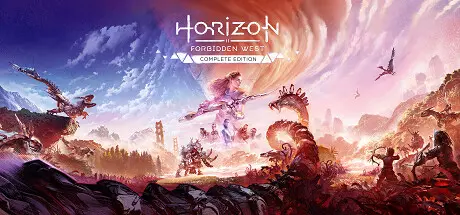
Horizon Forbidden West Complete Edition Free Download (v1.5.80.0)
Featured Replies

header.webp

Game Details

Release Name:ย Horizon Forbidden Westโ„ข Complete Edition

Game Version:ย v1.5.80.0 | Build 14835813

Release Date: 21 Mar, 2024

Publisher: PlayStation Publishing LLC

Developer: Guerrilla, Nixxes Software

Based On:ย CSF & Goldberg

Horizon Forbidden Westโ„ข Complete Edition Direct Download - Game Review

Join Aloy as she braves a majestic but dangerous new frontier that holds mysterious new threats. This Complete Edition allows you to enjoy the critically acclaimed Horizon Forbidden West on PC in its entirety with bonus content, including the Burning Shores story expansion that picks up after the main game.

Explore distant lands, fight bigger and more awe-inspiring machines, and encounter astonishing new tribes as you return to the far-future, post-apocalyptic world of Horizon.

The land is dying. Vicious storms and an unstoppable blight ravage the scattered remnants of humanity while fearsome new machines prowl their borders, and life on Earth is hurtling toward another extinction.

It's up to Aloy to uncover the secrets behind these threats and restore order and balance to the world. Along the way, she must reunite with old friends, forge alliances with warring new factions and unravel the legacy of the ancient past.

  • See every gameplay detail with Ultrawide 21:9 and Super Ultrawide 32:9 resolutions, as well as 48:9 triple monitor support.*

  • Witness the Forbidden West coming to life, with NVIDIA DLSS 3 upscaling and frame generation, image enhancing NVIDIA DLAA and latency reducing NVIDIA Reflex. AMD FSR and Intel XeSS are also supported.**

  • Customize graphic settings to your preference, with the potential for unlocked frame rates.**

  • Take control with full support for the DualSenseโ„ข controller, including haptic feedback and adaptive trigger functionality.***


Game Screenshots

screenshot screenshot screenshot screenshot


Game Trailer


System Requirements

Minimum Requirements

Recommended Requirements

OS

Windows 10 64-bit (version 1909 or higher)

Windows 10 64-bit (version 1909 or higher)

Processor

Intel Core i3-8100 or AMD Ryzen 3 1300X

Intel Core i5-8600 or AMD Ryzen 5 3600

Memory

16 GB RAM

16 GB RAM

Graphics

NVIDIA GeForce GTX 1650 4GB or AMD Radeon RX 5500XT 4GB

NVIDIA GeForce RTX 3060 or AMD Radeon RX 5700

DirectX

-

-

Storage

150 GB available space

150 GB available space


Installation Guide

  1. No Installation Needed: The game is pre-installed. Just download and extract.

  2. Extract: Right-click the .zip or .rar file and select "Extract Here" or "Extract to folder".

  3. Run: Find HorizonForbiddenWest.exe inside the folder and run it.

Game Data & Settings

  • Change Language: Edit the file located at steam_settings/Configs.user.ini

  • Save Data Location: %USERPROFILE%/My Documents/Horizon Forbidden West Complete Edition/

Important Notes

๐Ÿ”ฅDOWNLOAD AREA๐Ÿ”ฅ

๐Ÿ”น121.13 GB๐Ÿ”น

Select the server you want to download with ZeiLink.

Download

  • 9 months later...
  • Replies 16
  • Views 3.7k
  • Created
  • Last Reply

Top Posters In This Topic

Most Popular Posts

  • nickyc
    nickyc

    dicdale is the best, and actually listens much respect

  • DicDale
    DicDale

    Can you try this? Controller Fix.

  • stallix
    stallix

    wow that was the fastest fix ever! thank you so much for the support @DicDale

Posted Images

Is there a controller fix for this?

Some buttons not working specially the L3 button to sprint and when using joystick analog camera navigation the left and right won't work together

Tried disabling steam input in steam as I searched into google but none of those solution working here.

Hoping for a fix,

Thank You

stallix, 1 saat รถnce tarihinde yazdฤฑ:

Existe-t-il une solution pour la manette dans ce cas ?

Certains boutons ne fonctionnent pas correctement, notamment le bouton L3 pour sprinter. De plus, lors de l'utilisation du joystick pour la navigation analogique de la camรฉra, les boutons gauche et droit ne fonctionnent pas simultanรฉment.

J'ai essayรฉ de dรฉsactiver l'entrรฉe Steam dans Steam comme je l'ai indiquรฉ sur Google, mais aucune de ces solutions n'a fonctionnรฉ.

En espรฉrant une solution,

Merci

ok it's for pc or ps5?

Stallix:https://dualsensex.com/download/

๐Ÿ‘SuphitSam

stallix, 8 dakika รถnce tarihinde yazdฤฑ:

J'utilise une manette Xbox Series X.

I use a simple Xbox controller and it works perfectly. Check in Steam, add a non-Steam game, and reconfigure the controller.

๐Ÿ‘SuphitSam

4 hours ago, SamSuphit said:

I use a simple Xbox controller and it works perfectly. Check in Steam, add a non-Steam game, and reconfigure the controller.

I did the non-steam game also no luck, My controller works perfectly on other rexagames only this hzfw dont work correctly, How did you configure the controller on steam? Maybe I miss something. What I did is enable/disable input and set default

  • 2 weeks later...

so after a week of google search finding some controller fix and none of them works, I found out that this crack version does missing some input support as this is the error I got.

INTERFACE=SteamInput007

CALLER FN=Steam_Client::GetISteamInput()

APPID=2420110

TIME=2026/05/03 - 14:28:14

I hope to have an update fix for the proper crack of steaminput support @DicDale

  • Author
36 minutes ago, stallix said:

so after a week of google search finding some controller fix and none of them works, I found out that this crack version does missing some input support as this is the error I got.

INTERFACE=SteamInput007

CALLER FN=Steam_Client::GetISteamInput()

APPID=2420110

TIME=2026/05/03 - 14:28:14

I hope to have an update fix for the proper crack of steaminput support @DicDale

Can you try this? Controller Fix.

10 hours ago, stallix said:

wow that was the fastest fix ever! thank you so much for the support @DicDale

dicdale is the best, and actually listens much respect

Create an account or sign in to comment

Recently Browsing 0

  • No registered users viewing this page.

Account

Navigation

Search

Search

๐Ÿ”Ž Search Tip
For exact results, search using "game name" .
Without quotes, results may include unrelated titles.

Configure browser push notifications

Chrome (Android)
  1. Tap the lock icon next to the address bar.
  2. Tap Permissions โ†’ Notifications.
  3. Adjust your preference.
Chrome (Desktop)
  1. Click the padlock icon in the address bar.
  2. Select Site settings.
  3. Find Notifications and adjust your preference.
