



Skip to content
View in the app

A better way to browse. Learn more.

ZeiGames

A full-screen app on your home screen with push notifications, badges and more.

To install this app on iOS and iPadOS
  1. Tap the Share icon in Safari
  2. Scroll the menu and tap Add to Home Screen.
  3. Tap Add in the top-right corner.
To install this app on Android
  1. Tap the 3-dot menu (โ‹ฎ) in the top-right corner of the browser.
  2. Tap Add to Home screen or Install app.
  3. Confirm by tapping Install.

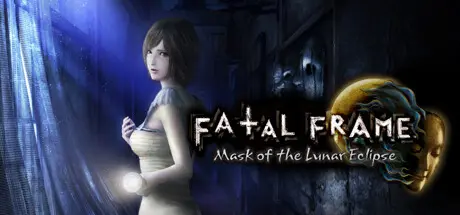
FATAL FRAME / PROJECT ZERO: Mask of the Lunar Eclipse Free Download (v1.0.0.4 + ALL DLC)
Featured Replies

header.webp

Game Details

Release Name:ย FATAL FRAME / PROJECT ZERO: Mask of the Lunar Eclipse

Game Version:ย v1.0.0.4 | Build 10935296

Release Date: 8 Mar, 2023

Publisher: KOEI TECMO GAMES CO., LTD.

Developer: KOEI TECMO GAMES CO., LTD.

Based On:ย CSF & Goldberg

FATAL FRAME / PROJECT ZERO: Mask of the Lunar Eclipse Direct Download - Game Review

A group of children mysteriously disappeared during a festival on Rogetsu Isle. Although they were found, they had lost their memories. Now they have returned to the island as teenagers. The girls rely on the Camera Obscura, a camera with the power to capture and seal away unthinkable horrors, and the faint beam of their flashlight while exploring various locations and fending off the ghosts that attack them as they attempt to discover the truth of their haunting past.

-Camera Obscura
This is an old camera with the ability to repel vengeful ghosts and seal away their power by photographing them. As such, it is an indispensable item throughout the game. The Camera Obscura can be used as a weapon against ghosts by spotting them through the viewfinder and taking photos of them to inflict damage. It also plays a major role in the girls' investigation, as its special power allows them to see the keys that allow them to find their way through new areas.

-Exploring Rogetsu Isle
Explore the dimly lit Western-style mansions and abandoned hospitals on the island by relying on the moonlight and the faint beam of your flashlight. Progress the story by interacting with items and places that spark your interest. From past newspaper articles and notes, you uncover the vile secrets of the past, unravel the lost memories of the protagonist, and discover the truth.


Game Screenshots

screenshot screenshot screenshot screenshot


Game Trailer


System Requirements

Minimum Requirements

Recommended Requirements

OS

Windowsยฎ 10, Windowsยฎ 11 64bit

Windowsยฎ 10, Windowsยฎ 11 64bit

Processor

Intel Core i5 4460 or over

Intel Core i7 4770 or over

Memory

4 GB RAM

8 GB RAM

Graphics

NVIDIA GeForce GTX 660 or over, AMD Radeon R7 370 or over, 1280x720

NVIDIA GeForce GTX 960 or over, AMD Radeon RX 570 or over, 1920x1080

DirectX

Version 11

Version 11

Storage

25 GB available space

25 GB available space


Installation Guide

  1. No Installation Needed: The game is pre-installed. Just download and extract.

  2. Extract: Right-click the .zip or .rar file and select "Extract Here" or "Extract to folder".

  3. Run: Find FATAL_FRAME_MOL.exe inside the folder and run it.

Game Data & Settings

  • Change Language: Edit the file located at steam_settings/Configs.user.ini

  • Save Data Location: %USERPROFILE%/My Documents/\KoeiTecmo\FATAL FRAME MOL\SAVEDATA

Important Notes

DLC List

Added DLCs

FATAL FRAME / PROJECT ZERO: Mask of the Lunar Eclipse Ruka/Misaki/Choshiro-Exclusive Accessory (Spirit Stone Flashlight Hat & Fox Mask)

FATAL FRAME / PROJECT ZERO: Mask of the Lunar Eclipse Ruka Exclusive Costume "Marie Rose Outfit"

FATAL FRAME / PROJECT ZERO: Mask of the Lunar Eclipse Rogetsu Isle Dinner Party Costume Set

FATAL FRAME / PROJECT ZERO: Mask of the Lunar Eclipse Digital Artbook

FATAL FRAME / PROJECT ZERO: Mask of the Lunar Eclipse Digital Deluxe Upgrade Pack

๐Ÿ”ฅDOWNLOAD AREA๐Ÿ”ฅ

๐Ÿ”น8.13 GB๐Ÿ”น

Select the server you want to download with ZeiLink.

Download

  • DicDale changed the title to FATAL FRAME / PROJECT ZERO: Mask of the Lunar Eclipse Free Download (v1.0.0.4 + ALL DLC)

  • Views 1.3k
  • Created
  • Last Reply

Posted Images

Create an account or sign in to comment

Recently Browsing 0

  • No registered users viewing this page.

Account

Navigation

Search

Search

๐Ÿ”Ž Search Tip
For exact results, search using "game name" .
Without quotes, results may include unrelated titles.

Configure browser push notifications

Chrome (Android)
  1. Tap the lock icon next to the address bar.
  2. Tap Permissions โ†’ Notifications.
  3. Adjust your preference.
Chrome (Desktop)
  1. Click the padlock icon in the address bar.
  2. Select Site settings.
  3. Find Notifications and adjust your preference.