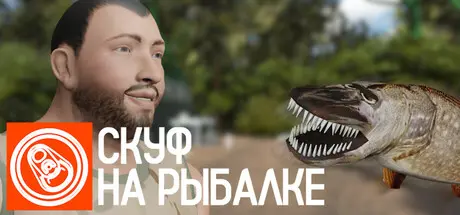
June 20, 20251 yr Скуф на рыбалке Game DetailsRelease Name: Скуф на рыбалкеGame Version: v0.2.2 | Build 18006929Release Date: 9 Apr, 2025Publisher: KickedMeshDeveloper: KickedMeshBased On: CSF & GoldbergСкуф на рыбалке Direct Download - Game OverviewСтань настоящий скуфом и прочувствуй процесс ловли рыбы на полную. В этой игре всё происходит как и на настоящей рыбалке. Алкогольные напитки, комары, радио и жена которая не даёт расслабиться каждые пять минут. А так же можно ловить рыбу!На радио ты услышишь рыбацкие подкасты, анекдоты и комедийные песни с ненормативной лексикой, а жена будет от души материть тебя на чём свет стоит! А ещё не забудь заглянуть в гости к медведю и поделиться с ним ништякамиСкуф на рыбалке Screenshots Скуф на рыбалке TrailerСкуф на рыбалке System RequirementsMinimum RequirementsRecommended RequirementsOSWindows 7 Or Later-Processor2.4GHZ Dual Core Processor Or Higher-Memory4 GB RAM-GraphicsGeForce 9800GT Or Equivalent-DirectXVersion 9.0-Storage322 MB available space-How to Install Скуф на рыбалкеNo Installation Needed: The game is pre-installed. Just download and extract.Extract: Right-click the .zip or .rar file and select "Extract Here" or "Extract to folder".Run: Find SKUFFISHING.exe inside the folder and run it.Game Data & SettingsChange Language: Edit the file located at steam_settings/Configs.user.iniImportant NotesTo support the Game Developer, Get It On Steam.🔥DOWNLOAD AREA🔥🔹322 MB🔹Select the server you want to download with ZeiLink.Download





Create an account or sign in to comment