



Skip to content
View in the app

A better way to browse. Learn more.

ZeiGames

A full-screen app on your home screen with push notifications, badges and more.

To install this app on iOS and iPadOS
  1. Tap the Share icon in Safari
  2. Scroll the menu and tap Add to Home Screen.
  3. Tap Add in the top-right corner.
To install this app on Android
  1. Tap the 3-dot menu (โ‹ฎ) in the top-right corner of the browser.
  2. Tap Add to Home screen or Install app.
  3. Confirm by tapping Install.

The Spell Brigade Free Download (v1.0.1.16617 + 2 DLC + Online)
Featured Replies

header.webp

Game Details

Release Name:ย The Spell Brigade

Game Version:ย v1.0.1.16617 | Build 23015727

Release Date: 29 Apr, 2026

Publisher: Bolt Blaster Games

Developer: Bolt Blaster Games

Based On:ย CSF & Goldberg

The Spell Brigade Direct Download - Game Review

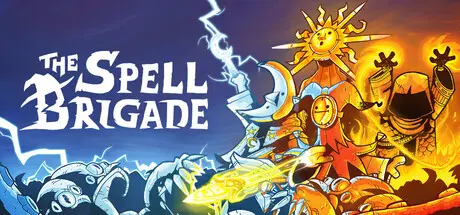
The Spell Brigade is an online co-op survivors-like for 1-4 players. Team up with your wizard friends to slay hordes of dark creatures. Complete team-based objectives, unlock new upgrades and create overpowered spell synergies. Friend nor foe is safe in this friendly fire bullet hell!

1-4 PLAYER CO-OP

The Spell Brigade combines the survivors-like gameplay you love with good old multiplayer madness. Fight thousands of weird monsters together. Complete random team-based objectives and upgrade spells together. Survive together!

FRIENDLY FIRE BULLET HEAVEN/HELL

Taking on entire armies is risky business, even with your friends at your side! Fighting as a team has many perks, but you will inevitably step on each otherโ€™s toes. But fear not! You can use your deaths to your advantage, and use Revive tokens to (literally) blast yourself and your teammates back into action!

MASTER YOUR SPELLS

Improve, augment and infuse your spells with different kinds of elements and upgrades. Combine this with your Enchantments, Quests, Relics, and the amount of wizards in your squad, and the potential for pure, unhinged chaos is endless!


Game Screenshots

screenshot screenshot screenshot screenshot


Game Trailer


System Requirements

Minimum Requirements

Recommended Requirements

OS

Windows 10 or newer

-

Processor

Intel i5-4590 or similar

-

Memory

8 GB RAM

-

Graphics

Geforce GTX 1050 or similar

-

DirectX

-

-

Storage

3 GB available space

-


Installation Guide

  1. No Installation Needed: The game is pre-installed. Just download and extract.

  2. Extract: Right-click the .zip or .rar file and select "Extract Here" or "Extract to folder".

  3. Run: Find The Spell Brigade.exe inside the folder and run it.

Multiplayer & Online (Optional)

  • Play Online: Download the Online Fix file and apply it to the game folder.

Game Data & Settings

  • Change Language: Edit the file located at steam_settings/Configs.user.ini

  • Save Data Location: %USERPROFILE%/AppData/LocalLow/BoltBlasterGames/TheSpellBrigade/

Important Notes

DLC List

Added DLCs

The Spell Brigade - Disciples of Sol'phish Skin Pack

The Spell Brigade - Supporter Pack

๐Ÿ”ฅDOWNLOAD AREA๐Ÿ”ฅ

๐Ÿ”น965 MB๐Ÿ”น

Select the server you want to download with ZeiLink.

Download

The Spell Brigade Online Fix - RAR Pass: rexagames.com

  • 4 months later...
  • Replies 8
  • Views 4.7k
  • Created
  • Last Reply

Top Posters In This Topic

Most Helpful Posts

  • I didn't know there was a problem because I only tested the games up to the main menu. Thanks for letting me know. I looked at the game files and fixed the issue. It works now. When the โ€œTrying to con

  • Game updated now you can try

Posted Images

Hello and thanks for the game hack ,

I was trying to solve a problem on this game (an infinite loading problem) I tried to use Xdbg64 to change the assembly program inside the files. And I couldn't find how to skip the infinite loading after many attempts. The game was the spell brigade from the website (Deleted name a website by admin) but even in the download from rexagames there is the same infinite loading

Itr says in the infinite loading : Connecting to onlines services : attempt 1/5

However I didn't use any online mod or anything other than the game files downloaded, I thought that the version of the game from you would work, but it has the same problem as the one from (Deleted name a website name by admin)

Which leads me to think that it might be a global problem or something that was not detected, I wonder if this can be solved by modifying the assembly program inside the files (I tried but didn't succeed

I will put the image of the infinite loading

Thank you for the time and have a good day !!

TheSpellBrigadeInfiniteLoading.PNG

  • Author
1 hour ago, GIGACHAD said:

I will put the image of the infinite loading

I didn't know there was a problem because I only tested the games up to the main menu. Thanks for letting me know. I looked at the game files and fixed the issue. It works now. When the โ€œTrying to connectโ€ screen appears, wait until it reaches 5/5. After that, the game will run offline. I upload now take a 5-10 min.

8 minutes ago, DicDale said:

I didn't know there was a problem because I only tested the games up to the main menu. Thanks for letting me know. I looked at the game files and fixed the issue. It works now. When the โ€œTrying to connectโ€ screen appears, wait until it reaches 5/5. After that, the game will run offline. I upload now take a 5-10 min.

Thank you so much for the help ! It's very impressive how you repaired the game so fast so that's really well done

1 minute ago, DicDale said:

Game updated now you can try ratirlSmile

I wish to find the knowledge about how to do these things, was it done with a program like xdbg ? Or did you use other things, and how could I learn to do the same ? (How could I disable the infinite loading by myself ? This is because the subject is so interesting to learn more about programming)

Game downloaded and tested, it works 100% ! Thanks again for all

  • 5 months later...
  • DicDale changed the title to The Spell Brigade Free Download (v1.0.1.16617 + 2 DLC + Online)

Create an account or sign in to comment

Recently Browsing 0

  • No registered users viewing this page.

Account

Navigation

Search

Search

๐Ÿ”Ž Search Tip
For exact results, search using "game name" .
Without quotes, results may include unrelated titles.

Configure browser push notifications

Chrome (Android)
  1. Tap the lock icon next to the address bar.
  2. Tap Permissions โ†’ Notifications.
  3. Adjust your preference.
Chrome (Desktop)
  1. Click the padlock icon in the address bar.
  2. Select Site settings.
  3. Find Notifications and adjust your preference.