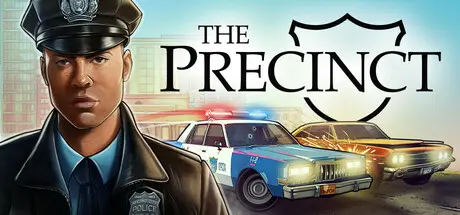
June 16, 20251 yr The Precinct Game DetailsRelease Name: The PrecinctGame Version: v1.12.23934 | Build 23900805Release Date: 13 May, 2025Publisher: KwaleeDeveloper: Fallen Tree Games LtdBased On: CSF & GoldbergThe Precinct Direct Download - Game OverviewYou are Officer Nick Cordell Jr. As a rookie beat cop fresh out of the Academy, you’re on the front line of defence for Averno’s citizens. Dive into a world of thrilling car chases, sandbox crimes, and a healthy dose of 1980s noir as you protect the populace and solve the mystery of your father’s murder in the line of duty.A love letter to classic cop movies, The Precinct combines police sim with action sandbox spectacle. Patrol the streets and respond to callouts to fight criminals petty and powerful. Choose your own tactics in thrilling chases and shootouts. Feel the shifting power struggles of Averno's gangs in a living city full of sandbox crimes, from parking infractions to bank heists, street racing to drug deals.Speed through the city in intense car and helicopter chases and pursue your mark through twisting alleyways before bringing them to justice. There's no need to be a lone wolf: You've got Averno's Finest backing you up, with an in-depth support system that allows you to call in squad cars, roadblocks, spike strips, and more.Explore the ever-shifting criminal underbelly of Averno City. Deal with yuppies, bums, street vendors and furious taxi drivers from the Projects to the Financial District. Chase perps through neon-lit alleys, rain-soaked streets, and grand, decaying parklands, all subject to a day/night cycle and dynamic weather. This is the 1980s East Coast in all its neon-noir glory.Explore a vibrant, living city by foot, squad car and helicopterRespond to sandbox crimes ranging from parking violations to gang shootoutsEngage in intense vehicle chases through destructible environmentsGo it alone or call in backup with an in-depth support systemInvestigate the gangs who rule the city and the dark conspiracies keeping them in controlDay/night cycle with dynamic weatherThe Precinct Screenshots The Precinct TrailerThe Precinct System Requirements Minimum RequirementsRecommended Requirements OSWindows 10 64-bitWindows 10 64-bit ProcessorIntel Core i5-7600K / AMD Ryzen 3 1200Intel Core i5-10400F / AMD Ryzen 5 5600X Memory8 GB RAM16 GB RAM GraphicsNvidia GeForce GTX 660Ti / AMD Radeon R7 370Nvidia GeForce RTX 2060 / AMD Radeon RX 6600 XT DirectXVersion 11Version 11 Storage8 GB available space8 GB available space How to Install The PrecinctNo Installation Needed: The game is pre-installed. Just download and extract.Extract: Right-click the .zip or .rar file and select "Extract Here" or "Extract to folder".Run: Find Precinct.exe inside the folder and run it.Game Data & SettingsChange Language: Edit the file located at steam_settings/Configs.user.iniSave Data Location: %USERPROFILE%/AppData/LocalLow/Fallen Tree Games Ltd\The Precinct\SaveGame_Steam\SceneMap_defaultImportant NotesTo support the Game Developer, Get It On Steam.🔥DOWNLOAD AREA🔥🔹4.72 GB🔹Select the server you want to download with ZeiLink.Download





Create an account or sign in to comment