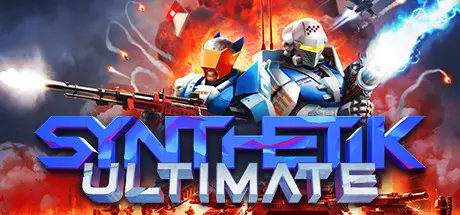
June 16, 20251 yr SYNTHETIK: Legion Rising Game DetailsRelease Name: SYNTHETIK: Legion RisingGame Version: v26.10 | Build 6762177Release Date: 15 Mar, 2018Publisher: Flow Fire Games, WhisperGamesDeveloper: Flow Fire GamesBased On: CSF & GoldbergSYNTHETIK: Legion Rising Direct Download - Game Overview> Master SYNTHETIK's uniquely rewarding magazine eject and active reload mechanics!> Weapons can jam and overheat, check yourself before you burn yourself!> Tame the movement based recoil, discard and switch between varied ammo types.> Savor the uniquely satisfying and direct weapon handling, rewarding precision and mastery!> We even brought headshots to the top-down perspective for the first time!There are many ways to play and an endless number of gear combinations. Everything can work!Play stealthy and tactical? Let turrets do the work? Heavy weapon madness? Slice and dice with your plasma blade? The Gadgets you find enable new play-styles and each can be greatly multiplied in their power! From Laser Mines to Turrets, Mind-Control, Psy Fields, Orbital Lasers, Pets and weird potions, each of the 140+ Items can make your day if you let them... and you can have up to 9 at the same time! Experiment and adapt!SYNTHETIK: Legion Rising Screenshots SYNTHETIK: Legion Rising TrailerSYNTHETIK: Legion Rising System Requirements Minimum RequirementsRecommended Requirements OSWindows XP SP3, Vista or higherWindows XP SP3, Vista or higher ProcessorIntel Celeron G1820 2.7 GHz / AMD FX 8320 3.5 GHzIntel Core i3-4160 3.6 GHz / AMD QC A8-7670K 3.6GHz Memory4 GB RAM4 GB RAM GraphicsGeForce GTX 460, Radeon HD 5770, 768 MB VramGeForce GTX 560+ Series, Radeon R9 270+ DirectXVersion 11Version 11 Storage600 MB available space600 MB available space How to Install SYNTHETIK: Legion RisingNo Installation Needed: The game is pre-installed. Just download and extract.Extract: Right-click the .zip or .rar file and select "Extract Here" or "Extract to folder".Run: Find Launcher.exe inside the folder and run it.Game Data & SettingsChange Language: Edit the file located at steam_settings/Configs.user.iniSave Data Location: %USERPROFILE%/AppData/Local/SynthetikImportant NotesTo support the Game Developer, Get It On Steam.🔥DOWNLOAD AREA🔥🔹464 MB🔹Select the server you want to download with ZeiLink.Download





Create an account or sign in to comment