



Skip to content
View in the app

A better way to browse. Learn more.

ZeiGames

A full-screen app on your home screen with push notifications, badges and more.

To install this app on iOS and iPadOS
  1. Tap the Share icon in Safari
  2. Scroll the menu and tap Add to Home Screen.
  3. Tap Add in the top-right corner.
To install this app on Android
  1. Tap the 3-dot menu (โ‹ฎ) in the top-right corner of the browser.
  2. Tap Add to Home screen or Install app.
  3. Confirm by tapping Install.

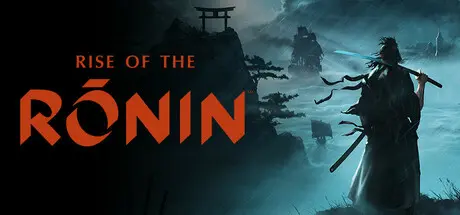
Rise of the Ronin Free Download (v1.09.0.5 + Online)
Featured Replies

header.webp

Game Details

Release Name:ย Rise of the Ronin

Game Version:ย v1.09.0.5 | Build 20673762

Release Date: 10 Mar, 2025

Publisher: KOEI TECMO GAMES CO., LTD.

Developer: KOEI TECMO GAMES CO., LTD.

Based On:ย CSF & Goldberg

Rise of the Ronin Direct Download - Game Review

An open-world RPG set in the Bakumatsu period, where players take on the role of a ronin forging their own destiny. The game features multiple possible endings, allowing players to choose which faction to supportโ€”such as the anti-shogunate faction, pro-shogunate faction, or Western forcesโ€”which significantly alters the story's outcome.

The game will support various PC features, including ultra-wide monitor compatibility, and include enhancements such as 8K resolution, 120fps, 3D audio, and customizable keyboard and mouse settings, enriching the gaming experience.

Japan, 1863. After three centuries of the Tokugawa Shogunateโ€™s reign, the Black Ships of the West descend upon the nation's borders and the country falls into a state of turmoil. Amidst the chaos of war, disease, and political unrest, a nameless warrior forges their own path, holding the very fate of Japan in their hands.

- 8K resolution support
- DirectX 12 Ultimate support
- Ultra-wide and super ultra-wide monitor compatibility
- 120FPS support
- Ray tracing support
- 3D audio support
- Customizable keyboard and mouse controls
- AMD Fidelity FX Super Resolution support
- NVIDIA DLSS and Reflex support
- UI menu with mouse clickability
- Intel XeSS graphics technology support

As a nameless warriorโ€”a roninโ€”your destiny evolves based on the choices you make. You will encounter historical figures and factions with various ideologies, such as the anti-shogunate faction leader Ryoma Sakamoto and the shogunate-affiliated organization Shinsengumi led by Isami Kondo, allowing you to experience the tumultuous Bakumatsu period. You will face significant decisions, such as whether to assassinate or protect key figures like Naosuke Ii, and craft your own history through a multi-ending system.

You can choose from various melee weapons like katana, spear, and odachi, each with multiple combat styles. By freely combining these based on enemies' weapons and your own combat style, you can enjoy a wide range of tactics. There are also ranged weapons like guns and bows, which you must use strategically according to the situation.

In the mixed cultural landscape of Edo, Yokohama, and Kyoto during the Bakumatsu period, you can explore stunning scenery with seasonal changes like cherry blossoms and autumn leaves. You can use a grappling rope to climb onto rooftops and the glider Avicula to glide through the air. Additionally, you can capture your favorite views using Photo Mode.

From their facial features, hair, and makeup to their body shape and voice, the protagonistโ€”your Veiled Edgeโ€”is yours to create. As you progress through the story, youโ€™ll acquire new clothing and gear to customize their appearance further.


Game Screenshots

screenshot screenshot screenshot screenshot


Game Trailer


System Requirements

Minimum Requirements

Recommended Requirements

OS

Windowsยฎ 10/11 64bit

Windowsยฎ 10/11 64bit

Processor

Intel Core i5-10400 or better, AMD Ryzen 5 1600 or better

Intel Core i5-10600K or better, AMD Ryzen 5 5600X or better

Memory

16 GB RAM

16 GB RAM

Graphics

NVIDIA GeForce GTX 1060 (VRAM 6GB) or better, AMD Radeon RX 5500 XT (VRAM 8GB) or better

NVIDIA GeForce RTX 2080 Super (VRAM 8GB) or better, AMD Radeon RX 6700XT (VRAM 12GB) or better

DirectX

Version 12

Version 12

Storage

155 GB available space

155 GB available space


Installation Guide

  1. No Installation Needed: The game is pre-installed. Just download and extract.

  2. Extract: Right-click the .zip or .rar file and select "Extract Here" or "Extract to folder".

  3. Run: Find Ronin.exe inside the folder and run it.

Multiplayer & Online (Optional)

  • Play Online: Download the Online Fix file and apply it to the game folder.

  • Please go to the online fix page and read the guide.

Game Data & Settings

  • Change Language: Edit the file located at steam_settings/Configs.user.ini

  • Save Data Location: %USERPROFILE%/My Documents/\KoeiTecmo\Ronin\Savedata\

Important Notes

๐Ÿ”ฅDOWNLOAD AREA๐Ÿ”ฅ

๐Ÿ”น110.53 GB๐Ÿ”น

Select the server you want to download with ZeiLink.

Download

Rise of the Ronin Online Fix - RAR Pass: zeigames.com

  • DicDale changed the title to Rise of the Ronin Free Download (v1.09.0.5 + Online)

  • Views 4.3k
  • Created
  • Last Reply

Posted Images

Create an account or sign in to comment

Recently Browsing 0

  • No registered users viewing this page.

Account

Navigation

Search

Search

๐Ÿ”Ž Search Tip
For exact results, search using "game name" .
Without quotes, results may include unrelated titles.

Configure browser push notifications

Chrome (Android)
  1. Tap the lock icon next to the address bar.
  2. Tap Permissions โ†’ Notifications.
  3. Adjust your preference.
Chrome (Desktop)
  1. Click the padlock icon in the address bar.
  2. Select Site settings.
  3. Find Notifications and adjust your preference.