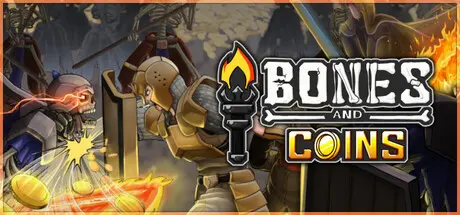
2 hours ago2 hr Bones and Coins Game DetailsRelease Name: Bones and CoinsGame Version: v1.0.0 | Build 25164969Release Date: 7 Sep, 2026Publisher: Rogue Duck Interactive, Gamersky GamesDeveloper: Troyd GamesBased On: CSF & GoldbergBones and Coins Direct Download - Game OverviewCombatUnlock new weapons, recruit heroes and build your party. Synergize your heroes and shape your own playstyle. Experiment with countless combinations to find the most effective way to loot more!Upgrades & ProgressionLoot coins and items to unlock powerful upgrades in the Skill Tree. Each upgrade strengthens you and your heroes to defeat more skeletons and gather even greater loot. Forge weapons in the Blacksmith, every weapon features its own unique attack animation. Recruit new heroes and upgrade them in Guild, each with different upgrade paths and abilities.Heroes & Party BuildingRecruit, bless and lead a team of heroes through darkest catacomb dungeons. Each hero acts uniquely on the battlefield. Increase your party capacity, combine your heroes to discover powerful synergies, bless them in Guild and create endless combos.Dungeon ExplorationExplore new dungeon rooms, each with its own drop rates and challenges. Unlock new enemies that drop unique items, use them at the Blacksmith or sell them for coins.Enjoy the massive variety of content and discover endless ways to grow stronger in Bones and Coins!8 dungeon rooms, each filled with unique enemies and loot.16 weapons, each with its own attack animation.6 heroes to recruit and build your party.9 unique enemies, each dropping exclusive items.A vast skill tree with 160+ upgrades.Multiple play styles and countless strategic options.And much more…Bones and Coins Screenshots Bones and Coins TrailerBones and Coins System RequirementsMinimum RequirementsRecommended RequirementsOSWindows 10 or more-Processor2 GHz-Memory4 GB RAM-GraphicsIntel HD Graphics 5000+-DirectX--Storage1 GB available space-How to Install Bones and CoinsNo Installation Needed: The game is pre-installed. Just download and extract.Extract: Right-click the .zip or .rar file and select "Extract Here" or "Extract to folder".Run: Find Bones and Coins.exe inside the folder and run it.Game Data & SettingsChange Language: Edit the file located at steam_settings/Configs.user.iniSave Data Location: %USERPROFILE%/AppData/LocalLow/Troyd Games/Bones and CoinsImportant NotesTo support the Game Developer, Get It On Steam.🔥DOWNLOAD AREA🔥🔹190 MB🔹Select the server you want to download with ZeiLink.Download





Create an account or sign in to comment