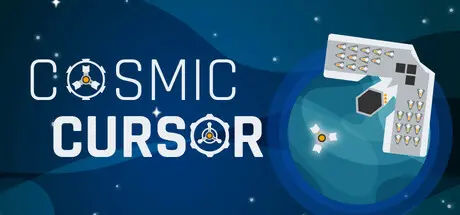
Sunday at 04:28 AM1 day Cosmic Cursor Game DetailsRelease Name: Cosmic CursorGame Version: v1.3.6 | Build 19516354Release Date: 24 Jun, 2024Publisher: Ideas Per SecondDeveloper: Ideas Per SecondBased On: CSF & GoldbergCosmic Cursor Free Download - Game OverviewMovement is LifeUse the cursor to dodge and attack enemies when the ship’s weapon is chargedShop for UpgradesShops present many powerful upgrades, but for a price. Be sure to plan ahead!Survival is KeyEach ship’s weapon has a different way to destroy enemies, learn the best way to use each one!Unlock New ContentDeath is not the end! Upgrade ships after every run to reach their full potential!8 Unique Ships7 Complex Enemy Types100+ Upgrade Cards2 Devastating bosses18 Challenging AchievementsCosmic Cursor Screenshots Cosmic Cursor TrailerCosmic Cursor System RequirementsMinimum RequirementsRecommended RequirementsOSWindows 10, 11-ProcessorIntel Core i5-2300 / AMD Ryzen 3 1200-Memory4 GB RAM-GraphicsGeForce GTX 460 / Radeon HD 5850-DirectX--Storage500 MB available space-How to Install Cosmic CursorNo Installation Needed: The game is pre-installed. Just download and extract.Extract: Right-click the .zip or .rar file and select "Extract Here" or "Extract to folder".Run: Find Cosmic Cursor.exe inside the folder and run it.Game Data & SettingsChange Language: Edit the file located at steam_settings/Configs.user.iniSave Data Location: %USERPROFILE%/AppData/LocalLow/Ideas Per Second/Cosmic CursorImportant NotesTo support the Game Developer, Get It On Steam.🔥DOWNLOAD AREA🔥🔹236 MB🔹Select the server you want to download with ZeiLink.Download





Create an account or sign in to comment