



Theme
Language

Layout
Skip to content
View in the app

A better way to browse. Learn more.

ZeiGames

A full-screen app on your home screen with push notifications, badges and more.

To install this app on iOS and iPadOS
  1. Tap the Share icon in Safari
  2. Scroll the menu and tap Add to Home Screen.
  3. Tap Add in the top-right corner.
To install this app on Android
  1. Tap the 3-dot menu (⋮) in the top-right corner of the browser.
  2. Tap Add to Home screen or Install app.
  3. Confirm by tapping Install.

Mortal Kombat 1 Direct Download (Build 17941244 + ALL DLC)
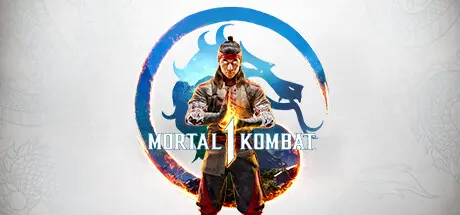
Mortal Kombat 1 Direct Download

Featured Replies

Mortal Kombat 1 cover art

Mortal Kombat 1 Game Details

Release Name: Mortal Kombat 1

Game Version: Build 17941244

Release Date: 19 Sep, 2023

Publisher: Warner Bros. Games

Developer: NetherRealm Studios, QLOC

Based On: CSF & voices38

Mortal Kombat 1 Direct Download - Game Overview

Discover a reborn Mortal Kombat Universe created by the Fire God Liu Kang.

Reflecting Fire God Liu Kang’s vision of perfection, Mortal Kombat 1’s brand new universe is familiar, yet radically altered.

Invasions is a dynamic single player campaign with a variety of distinct challenges. With built in progression and RPG mechanics, mixed with MK1’s incredible fighting action, Invasions provides deep, and engaging challenges, and a ton of rewards along the way.

Kameos dramatically enhance every fight, assisting teammates with their own Special Moves, Throws and defensive Breakers.


Mortal Kombat 1 Screenshots

Mortal Kombat 1 screenshot 1 Mortal Kombat 1 screenshot 2 Mortal Kombat 1 screenshot 3 Mortal Kombat 1 screenshot 4


Mortal Kombat 1 Trailer


Mortal Kombat 1 System Requirements

Minimum Requirements

Recommended Requirements

OS

Windows 10 64-bit

Windows 10/11 64-bit

Processor

Intel® Core i5-6600 | AMD Ryzen 3 3100 or Ryzen 5 2600

Intel® Core i5-8400 | AMD Ryzen 5 3600X

Memory

8 GB RAM

8 GB RAM

Graphics

Nvidia GeForce® GTX 1660 or AMD Radeon RX 590 or Intel® Arc A750

Nvidia GeForce® GTX 2080 Ti or AMD Radeon RX 5700 XT or Intel® Arc A770

DirectX

Version 12

Version 12

Storage

140 GB available space

140 GB available space


How to Install Mortal Kombat 1

  1. No Installation Needed: The game is pre-installed. Just download and extract.

  2. Extract: Right-click the .zip or .rar file and select "Extract Here" or "Extract to folder".

  3. Run: Find MK12.exe inside the folder and run it.

Game Data & Settings

  • Change Language: Edit the file located at steam_settings/Configs.user.ini

Important Notes

DLC List

Added DLCs

MK1: DE Skin Pack

MK1: Definitive Edition Upgrade (Mortal Kombat 1: Definitive Edition Upgrade)

Definitive Edition 1250 Dragon Krystals

MK1: MKT Skins

MK1: Madam Bo

MK1: Conan (MK1: Conan the Barbarian)

MK1: T-1000

MK1: Ghostface

MK1: Khaos Reigns Expansion

MK1: Tournament Liu Kang

MK1: One-time Dragon Pack Kitana

MK1: Kollection Tracking

MK1: Khaos Reigns Skins Pack

MK1: Noob Saibot

MK1: Sektor

MK1: Cyrax

MK1: Khaos Reigns 4k Cinematic Pack

MK1: Khaos Reigns Bundle

MK1: Khaos Reigns Bundle (Mortal Kombat 1: Khaos Reigns Bundle)

MK1: Khaos Reigns Expansion

MK1: Takeda Takahashi

MK1: Ferra

MK1: Homelander

MK1: Mavado

MK1: Ermac

MK1: Janet Cage

MK1: Peacemaker

MK1: Khameleon

MK1: Quan Chi

MK1: Tremor Kameo

MK1: Omni-Man

MK1: 4k Cinematic Pack

Premium Edition 1250 Dragon Krystals

MK1: Havik

MK1: Shang Tsung

MK1: One-Time Dragon Pack

Kombat Pack (MK1: Kombat Pack)

MK1: Kameo Unlock Pack

MK1: Tanya Funkeira Skin

MK1: Kollector's Edition Liu Kang Skin

MK1: Sub-Zero Día de Muertos Skin

MK1: Jean-Claude Van Damme Skin

🔥DOWNLOAD AREA🔥

🔹124.95 GB🔹

Select the server you want to download with ZeiLink.

Download

  • Views 295
  • Created
  • Last Reply

Posted Images

Create an account or sign in to comment

Recently Browsing 0

  • No registered users viewing this page.

Account

Navigation

Search

Search

🔎 Search Tip
For exact results, search using "game name" .
Without quotes, results may include unrelated titles.

Configure browser push notifications

Chrome (Android)
  1. Tap the lock icon next to the address bar.
  2. Tap Permissions → Notifications.
  3. Adjust your preference.
Chrome (Desktop)
  1. Click the padlock icon in the address bar.
  2. Select Site settings.
  3. Find Notifications and adjust your preference.
