



Theme
Language

Layout
Skip to content
View in the app

A better way to browse. Learn more.

ZeiGames

A full-screen app on your home screen with push notifications, badges and more.

To install this app on iOS and iPadOS
  1. Tap the Share icon in Safari
  2. Scroll the menu and tap Add to Home Screen.
  3. Tap Add in the top-right corner.
To install this app on Android
  1. Tap the 3-dot menu (โ‹ฎ) in the top-right corner of the browser.
  2. Tap Add to Home screen or Install app.
  3. Confirm by tapping Install.

TRADESMAN: Deal to Dealer Direct Download (v1.0.2026.09.04b + ALL DLC)
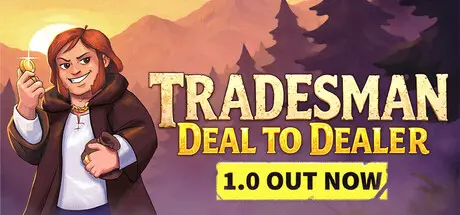
TRADESMAN: Deal to Dealer Direct Download

Featured Replies

TRADESMAN: Deal to Dealer cover art

TRADESMAN: Deal to Dealer Game Details

Release Name:ย TRADESMAN: Deal to Dealer

Game Version:ย v1.0.2026.09.04b | Build 25127638

Release Date: 27 Aug, 2026

Publisher: AZAMATIKA

Developer: AZAMATIKA

Based On:ย CSF & Goldberg

TRADESMAN: Deal to Dealer Direct Download - Game Overview

TRADESMAN: Deal to Dealer is a game about a merchant who rides around in his horse-drawn (or bear-drawn) cart. Starting his journey in his home village of Grampstead, the Tradesman heads off to the other towns and villages of the world. Stock up on marine morsels in Fishpool, quench your thirst at Grubgrog Village's renowned tavern, sell basic necessities in Hoboken, and trample the dirt in Normingham, the capital of these lands!

  • Trade: buy up stock in one place and sell it out wherever your goods are needed most to earn money and gain trading experience.

  • Automatic battles with active skills: the roads are perilous, and the more goods you have in your cart, the more dangerous they become.

  • Your wares aren't just a basket with a price tag - each product has a range of traits that complicate transportation.

  • Many unique types of mercenaries, each of which you can take a shine to, but not enough to think twice about swapping them out for a better mercenary.

  • Consumables: study the culinary arts to cook meals and feed your mercenaries. Use power-up scrolls and books to lecture your mercenaries.

  • Buildable talents: talents for combat, trade, social interactions, and survival.

  • Transport quests: work as a taxi driver and drop off drunks, children, and wounded guards.

  • Classic quests: head to marked points on the map and fulfill various characters' requests.

  • Soulslike quests: go god-knows-where and do god-knows-what.

  • Plot quests: plot quests!


TRADESMAN: Deal to Dealer Screenshots

TRADESMAN: Deal to Dealer screenshot 1 TRADESMAN: Deal to Dealer screenshot 2 TRADESMAN: Deal to Dealer screenshot 3 TRADESMAN: Deal to Dealer screenshot 4


TRADESMAN: Deal to Dealer Trailer


TRADESMAN: Deal to Dealer System Requirements

Minimum Requirements

Recommended Requirements

OS

Windows 10, 64-bit

Windows 10, 64-bit

Processor

Intel 4th Gen Dual Core 2.0Ghz

Intel 7th Gen

Memory

4 GB RAM

4 GB RAM

Graphics

Nvidia GTX Series 9

Nvidia GTX Series 10

DirectX

-

-

Storage

500 MB available space

500 MB available space


How to Install TRADESMAN: Deal to Dealer

  1. No Installation Needed: The game is pre-installed. Just download and extract.

  2. Extract: Right-click the .zip or .rar file and select "Extract Here" or "Extract to folder".

  3. Run: Find TRADESMAN.exe inside the folder and run it.

Game Data & Settings

  • Change Language: Edit the file located at steam_settings/Configs.user.ini

  • Save Data Location: %USERPROFILE%/AppData/Local/Tradesman

Important Notes

DLC List

Added DLCs

TRADESMAN: Deal to Dealer - Donkey Support Pack

TRADESMAN: Deal to Dealer - HATS Supporter Pack

๐Ÿ”ฅDOWNLOAD AREA๐Ÿ”ฅ

๐Ÿ”น102 MB๐Ÿ”น

Select the server you want to download with ZeiLink.

Download

  • Views 143
  • Created
  • Last Reply

Posted Images

Create an account or sign in to comment

Recently Browsing 0

  • No registered users viewing this page.

Account

Navigation

Search

Search

๐Ÿ”Ž Search Tip
For exact results, search using "game name" .
Without quotes, results may include unrelated titles.

Configure browser push notifications

Chrome (Android)
  1. Tap the lock icon next to the address bar.
  2. Tap Permissions โ†’ Notifications.
  3. Adjust your preference.
Chrome (Desktop)
  1. Click the padlock icon in the address bar.
  2. Select Site settings.
  3. Find Notifications and adjust your preference.
