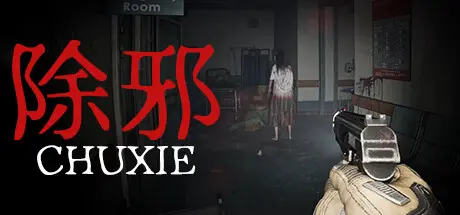
Saturday at 08:39 AM2 days 除邪(CHUXIE) Game DetailsRelease Name: 除邪(CHUXIE)Game Version: v0.5.2 | Build 16024957Release Date: 28 Jul, 2024Publisher: LCGamingDeveloper: LCGamingBased On: CSF & Goldberg除邪(CHUXIE) Direct Download - Game Overview 除邪(CHUXIE) is a super realistic single player first person shooter game built using the latest technology from the next-generation Unreal Engine 5 game engine. Developed independently by a gaming enthusiast, this game features a portable camera perspective combined with realistic graphics and spatial sound reverberation effects, providing players with an immersive experience.This time,the player will be placed in a dark, silent, and unsettling realm where each breath and movement narrowly avoids the specters of fear and death. Facing the threat of terrifying creatures, the player must conquer their inner fears, remain alert, and carefully investigate the surroundings, unraveling riddles as they go, in order to complete their mission, discover the escape route, and regain their liberty.The protagonist is a paranormal investigator responsible for investigating supernatural phenomena and eliminating demons. During an investigation, he discovers that evil creatures are incubating more powerful evil spirits. He must find a way to destroy these "evil egg" to prevent the birth of powerful evil spirits from causing huge disasters.-The body camera perspective provides players with a realistic and stimulating experience-free-aiming system with authentic ADS and unrestricted hand movements.-A thrilling and terrifying experience, with immersive sound effects and realistic visuals creating a thrilling atmosphere-A tense and oppressive battle, where players will face a variety of oppressive and terrifying monsters, using limited ammunition to defeat them-Monsters have more realistic simulation of physical damage feedback-Exploration and challenge, players need to explore the map to find clues and ammunition to solve puzzles, while also finding ways to defeat powerful special evil spirits除邪(CHUXIE) Screenshots 除邪(CHUXIE) Trailer除邪(CHUXIE) System RequirementsMinimum RequirementsRecommended RequirementsOSWindows 10Windows 10 or Windows 11ProcessorIntel Core i5-4460 | AMD Ryzen 5 1400Intel Core i7-8700K | AMD Ryzen 5 3600XMemory8 GB RAM16 GB RAMGraphicsNVIDIA® GeForce® GTX 1060 | AMD Radeon™ RX 580NVIDIA® GeForce® 2070RTX | AMD Radeon™ RX 6600 XTDirectXVersion 11Version 12Storage8 GB available space10 GB available spaceHow to Install 除邪(CHUXIE)No Installation Needed: The game is pre-installed. Just download and extract.Extract: Right-click the .zip or .rar file and select "Extract Here" or "Extract to folder".Run: Find BodyCamShoot.exe inside the folder and run it.Game Data & SettingsChange Language: Edit the file located at steam_settings/Configs.user.iniSave Data Location: %USERPROFILE%/AppData/Local/BodyCamShootImportant NotesTo support the Game Developer, Get It On Steam.🔥DOWNLOAD AREA🔥🔹6.76 GB🔹Select the server you want to download with ZeiLink.Download





Create an account or sign in to comment