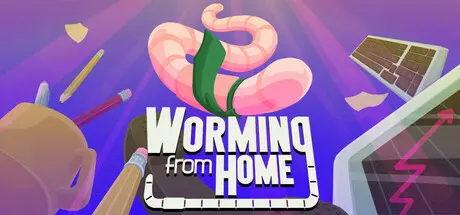
Saturday at 08:20 AM2 days Worming from Home Game DetailsRelease Name: Worming from HomeGame Version: v1.0.2 | Build 25134662Release Date: 4 Sep, 2026Publisher: Zach NorthropDeveloper: Zach Northrop, Mason SabharwalBased On: CSF & GoldbergWorming from Home Direct Download - Game OverviewWriggle your way up the corporate ladder in Worming from Home, a job sim where you’re a worm. Throw your spineless body around the keyboard to answer messages and fill out spreadsheets in your role as a junior financial analyst. Upgrade, invest, and finally earn that promotion!Experience state of the art ragdoll physics as you soar across your desk, just like a real life worm. Bash your head against the keys to convince your boss that you're actually doing work. Use insider information to illegally game the stock market. Answer the phone occasionally. It's just like any corporate job, only... wormier.Of course, there’s more to life than making money. Spend your free time getting swole in the gym, reading the latest self-help books, shopping for trinkets, or flirting with your coworkers. Buy upgrades to make your wormy life easier, or buy a bunch of hats. You deserve a little treat :)Worming from Home Screenshots Worming from Home TrailerWorming from Home System RequirementsMinimum RequirementsRecommended RequirementsOSWindows 10-Processor--Memory--Graphics--DirectX--Storage--How to Install Worming from HomeNo Installation Needed: The game is pre-installed. Just download and extract.Extract: Right-click the .zip or .rar file and select "Extract Here" or "Extract to folder".Run: Find Worming from Home.exe inside the folder and run it.Game Data & SettingsChange Language: Edit the file located at steam_settings/Configs.user.iniSave Data Location: %USERPROFILE%/AppData/LocalLow/Zach and Mason/Worming from HomeImportant NotesTo support the Game Developer, Get It On Steam.🔥DOWNLOAD AREA🔥🔹821 MB🔹Select the server you want to download with ZeiLink.Download





Create an account or sign in to comment