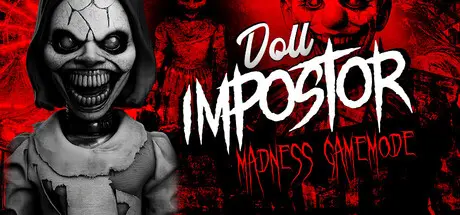
September 1Sep 1 Doll Impostor Game DetailsRelease Name: Doll ImpostorGame Version: Build 24131254Release Date: 28 Mar, 2024Publisher: HeadArrowDeveloper: David GallardoBased On: CSF & GoldbergDoll Impostor Direct Download - Game OverviewYour objective is to find the impostor doll, which will play with you to avoid being caught. Perform the following steps:Find clues and evidence that the impostor leaves behindStudy and analyze their movementsDiscard candidatesFind the impostor before 9 AMThe dolls have their own objectives, preferences, friendships, enmities, loves, and hatreds towards circumstances, events, or other dolls.Traps will help you catch conservative dolls; perhaps tempting them by turning on music or a television will make them react, allowing you to better interpret their tastes and appreciations.Do not trust their actions; these dolls are much smarter than you think. They are capable of moving others from their place and annihilating other dolls in order to confuse you, especially if you do not know each doll well.You might assume that everything is over if you find a single doll out of its box. However, it may not have moved on its own; another doll might have moved it, or even moved many others while it remains completely still.It's extremely important that you keep the door closed; failing to do so could have catastrophic consequences, from letting the impostor escape to altering the order of your eliminations, or even preventing you from making it through the night.Doll Impostor Screenshots Doll Impostor TrailerDoll Impostor System RequirementsMinimum RequirementsRecommended RequirementsOSWindows 10 (64 Bits)Windows 10 (64 bits)ProcessorAMD FX-8320AMD Ryzen 5 3600Memory8 GB RAM16 GB RAMGraphicsMSI Radeon R7 200 SeriesGTX 1660DirectX--Storage18 GB available space18 GB available spaceHow to Install Doll ImpostorNo Installation Needed: The game is pre-installed. Just download and extract.Extract: Right-click the .zip or .rar file and select "Extract Here" or "Extract to folder".Run: Find dollImpostor.exe inside the folder and run it.Multiplayer & Online (Optional)Play Online: Download the Online Fix file and apply it to the game folder.Please go to the online fix page and read the guide.Game Data & SettingsChange Language: Edit the file located at steam_settings/Configs.user.iniImportant NotesTo support the Game Developer, Get It On Steam.🔥DOWNLOAD AREA🔥🔹17.35 GB🔹Select the server you want to download with ZeiLink.DownloadOnline Fix





Create an account or sign in to comment