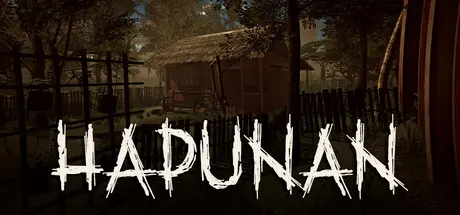
August 30Aug 30 Hapunan Game DetailsRelease Name: HapunanGame Version: v1.0.8 | Build 24966348Release Date: 25 Aug, 2026Publisher: Neuroticfly GamesDeveloper: YIKON GAMES INCBased On: CSF & GoldbergHapunan Direct Download - Game OverviewIn the Philippines, balut is the undisputed king of midnight street food. You’ll always hear the vendor before you see them—a lone voice calling "Baluuuut!" into the stillness of the night.To eat it is a ritual: crack a small hole at the top, sip the rich, warm broth within, and season the rest with salt and spicy vinegar. For street vendors walking the graveyard shift, it is a livelihood. But in the quietest hours, the trade carries secrets that belong strictly to the dark.Hapunan is a tense, story-driven psychological horror game exploring the raw realities of urban poverty and Philippine folklore.You play as Niko, a teenager watching his family crumble under financial ruin. Two months behind on rent and facing immediate eviction by their ruthless landlord, Niko and his father must take to the midnight streets to earn whatever cash they can to protect their home.What begins as an act of survival quickly spirals into a waking nightmare. As debt and danger mount, Niko and his father cross paths with a name whispered with dread across the alleys: PENDUKO.There are sinister truths hiding beneath the broth and shell of the trade. Every choice you make will ripple outward—shaping Niko’s morality, dictating his family’s fate, and revealing the grim horrors lurking just beyond the streetlight's glow.Grounded Cultural Horror: Immerse yourself in an authentic Philippine setting where urban desperation collides with local folklore and psychological dread.Consequential Story Choices: Navigate high-stakes moral dilemmas. Your decisions directly alter character relationships, branching narrative paths, and the ultimate ending.Tense Midnight Atmosphere: Experience the quiet, claustrophobic dread of walking desolate midnight streets and dealing with unpredictable patrons in the dark.Unravel the Mystery: Piece together the disturbing secrets behind the street trade and uncover who—or what—Penduko really is.Hapunan Screenshots Hapunan TrailerHapunan System RequirementsMinimum RequirementsRecommended RequirementsOSWindows 10-Processor4 physical CPU cores-Memory8 GB RAM-GraphicsIntel® UHD Graphics 630 or comparable GPU-DirectX--Storage1 GB available space-How to Install HapunanNo Installation Needed: The game is pre-installed. Just download and extract.Extract: Right-click the .zip or .rar file and select "Extract Here" or "Extract to folder".Run: Find Hapunan.exe inside the folder and run it.Game Data & SettingsChange Language: Edit the file located at steam_settings/Configs.user.iniSave Data Location: %USERPROFILE%/AppData/LocalLow/Yikon Games/HapunanImportant NotesTo support the Game Developer, Get It On Steam.🔥DOWNLOAD AREA🔥🔹1.92 GB🔹Select the server you want to download with ZeiLink.Download





Create an account or sign in to comment