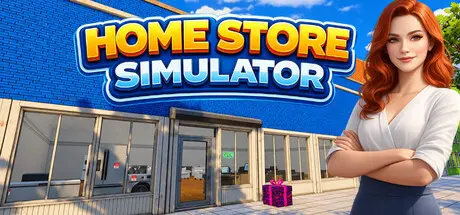
August 30Aug 30 Home Store Simulator Game DetailsRelease Name: Home Store SimulatorGame Version: v0.1.2 | Build 25035089Release Date: 17 Aug, 2026Publisher: GOSOVENDeveloper: GOSOVENBased On: CSF & GoldbergHome Store Simulator Free Download - Game OverviewHome Store Simulator is a first-person store management simulation where you build, manage, and grow your own home goods store.Design your store to be both efficient and visually appealing. Determine where products are displayed, organize your store layout, and ensure a smooth shopping experience for your customers.Running out of stock? Keep your store supplied with new products and stay on top of the latest trends to attract more customers.Take cash and credit card payments and make sure every customer leaves your store satisfied.Expand your store by unlocking new sections to increase capacity, boost profits, and grow your business.Personalize your store to make it unique. Rename your store, paint the walls, customize the interior, and more.Home Store Simulator Screenshots Home Store Simulator TrailerHome Store Simulator System RequirementsMinimum RequirementsRecommended RequirementsOSWindows (64-bit) 10Windows (64-bit) 10ProcessorIntel Core i5-3550Intel Core i5 7600KMemory8 GB RAM16 GB RAMGraphicsNVIDIA GTX 1050NVIDIA RTX 2070DirectXVersion 11Version 11Storage5 GB available space5 GB available spaceHow to Install Home Store SimulatorNo Installation Needed: The game is pre-installed. Just download and extract.Extract: Right-click the .zip or .rar file and select "Extract Here" or "Extract to folder".Run: Find Home Store Simulator.exe inside the folder and run it.Game Data & SettingsChange Language: Edit the file located at steam_settings/Configs.user.iniSave Data Location: %USERPROFILE%/AppData/LocalLow/GOSOVEN/Home Store SimulatorImportant NotesTo support the Game Developer, Get It On Steam.🔥DOWNLOAD AREA🔥🔹1.48 GB🔹Select the server you want to download with ZeiLink.Download





Create an account or sign in to comment