



Theme
Language

Layout
Skip to content
View in the app

A better way to browse. Learn more.

ZeiGames

A full-screen app on your home screen with push notifications, badges and more.

To install this app on iOS and iPadOS
  1. Tap the Share icon in Safari
  2. Scroll the menu and tap Add to Home Screen.
  3. Tap Add in the top-right corner.
To install this app on Android
  1. Tap the 3-dot menu (โ‹ฎ) in the top-right corner of the browser.
  2. Tap Add to Home screen or Install app.
  3. Confirm by tapping Install.

Tails of Iron 2: Whiskers of Winter Free Download (Build 24785538 + ALL DLC)
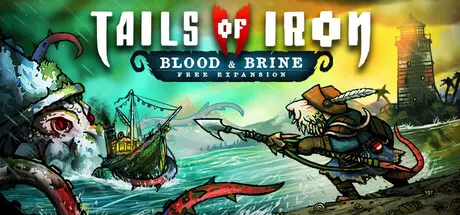
Tails of Iron 2: Whiskers of Winter

Featured Replies

Tails of Iron 2: Whiskers of Winter cover art

Tails of Iron 2: Whiskers of Winter Game Details

Release Name:ย Tails of Iron 2: Whiskers of Winter

Game Version:ย Build 24785538

Release Date: 28 Jan, 2025

Publisher: United Label

Developer: Odd Bug Studio

Based On:ย CSF & Goldberg

Tails of Iron 2: Whiskers of Winter Direct Download - Game Overview

Just as the Rats of the South start to piece their lives together, following the great war between Rodent and Frog, an old and unspeakable evil stirs in the North; wings black as death; fangs sharp as steel; and a thirst for blood rivalled only by their insatiable hungerโ€ฆ for vengeance.

As Arlo, young heir to the Warden of the Wastes, journey through the vast, snow-ravaged lands of the North in an epic quest to overcome the Dark Wings once and for all. Hunt down giant beasts. Unite disparate clans. Upgrade your settlement. And discover a terrible secret of blood and crownโ€ฆ

The time for heroes is over. For the Kingdom needs a warrior; forged of the North and as cold as the snow that shrouds these lands. A ratโ€ฆ carved from iron.

And so, a new tail begins.

Fully narrated by RPG-legend, Doug Cockle, prepare to embark on an epic adventure across the northern realms of the Ratdom; an expansive, frost-bitten land on the brink of all-out war.

Track down and defeat the legendary monsters of this realm, and be rewarded with rare resources with which to craft devastating equipment. But be warned, these colossal creatures wonโ€™t go down without a fightโ€ฆ and then some.

The lands of the North are a perilous place, so youโ€™ll need to master the fast, challenging combat for any chance of survival. Evade attacks with a dodge roll, nail split-second parry bashes, and unleash an array of gruesome executions.

Craft your own extensive arsenal of upgradeable weaponry, ready to fight as you see fit; strike quick with a spear, afar with a bow, or go claw-to-claw with a heavy-hitting mace. Alternativity, gain a tactical advantage with a range of new, deadly trapsโ€ฆ

As Warden of the Wastes, defending your lands is only half the battle. Construct and upgrade your settlement with hard-earned gold to gain access to more powerful items from the Smithy, tastier meals at the Kitchen, a wider range of powerful traps from the shoppe, and more!

Unlock the devastating โ€˜Elementaโ€™ sorceries of Electric, Poison, Fire, and Ice in an all-new magic system. Bestowed upon you by the gods themselves, these arena-devastating powers can quickly turn the tides in battles.

- Explore a vast and treacherous, snow-ravaged kingdom

- Master brutal soulslike combat, with dodge-rolls, parry bashes, and gruesome executions!

- Discover a compelling story, narrated by the legendary Doug Cockle

- Overcome savage boss fights against the ferocious leaders of the Dark Wings

- Hunt down giant beasts for rare resources with which to craft devastating equipment

- Customise your attack style with an extensive range of upgradeable weapons

- Personalise your appearance from a significant collection of diverse armour sets with exclusive properties

- Encounter a range of curious companions among the many Northern factions

- Construct and upgrade your own settlement, to unlock new recipes, traps and more

- Complete side hunts to earn additional gold-on-the-side

- Three difficulty levels to choose from, with the ability to swap between them at any point of the game


Tails of Iron 2: Whiskers of Winter Screenshots

Tails of Iron 2: Whiskers of Winter screenshot 1 Tails of Iron 2: Whiskers of Winter screenshot 2 Tails of Iron 2: Whiskers of Winter screenshot 3 Tails of Iron 2: Whiskers of Winter screenshot 4


Tails of Iron 2: Whiskers of Winter Trailer


Tails of Iron 2: Whiskers of Winter System Requirements

Minimum Requirements

Recommended Requirements

OS

Windows 10 64-bit

Windows 10 64-bit

Processor

2.8 GHz Dual Core CPU

3.2 GHz Quad Core Processor

Memory

4 GB RAM

8 GB RAM

Graphics

GeForce GTX 660 or equivalent with 2 GB of video RAM

GeForce 960 or equivalent with 4GB of video RAM

DirectX

Version 11

Version 11

Storage

2 GB available space

2 GB available space


How to Install Tails of Iron 2: Whiskers of Winter

  1. No Installation Needed: The game is pre-installed. Just download and extract.

  2. Extract: Right-click the .zip or .rar file and select "Extract Here" or "Extract to folder".

  3. Run: Find TOI2.exe inside the folder and run it.

Game Data & Settings

  • Change Language: Edit the file located at steam_settings/Configs.user.ini

  • Save Data Location: */TOI2_Data/Resources/SaveFiles

Important Notes

DLC List

Added DLCs

Tails of Iron 2: Whiskers of Winter - Digital Artbook

Tails of Iron 2: Whiskers of Winter - Hair to the Throne Pack

Tails of Iron 2: Whiskers of Winter - Augur of the Draugr Armour Pack

๐Ÿ”ฅDOWNLOAD AREA๐Ÿ”ฅ

๐Ÿ”น6.01 GB๐Ÿ”น

Select the server you want to download with ZeiLink.

Download

  • Replies 1
  • Views 362
  • Created
  • Last Reply

Top Posters In This Topic

Posted Images

Create an account or sign in to comment

Recently Browsing 0

  • No registered users viewing this page.

Account

Navigation

Search

Search

๐Ÿ”Ž Search Tip
For exact results, search using "game name" .
Without quotes, results may include unrelated titles.

Configure browser push notifications

Chrome (Android)
  1. Tap the lock icon next to the address bar.
  2. Tap Permissions โ†’ Notifications.
  3. Adjust your preference.
Chrome (Desktop)
  1. Click the padlock icon in the address bar.
  2. Select Site settings.
  3. Find Notifications and adjust your preference.
