



Theme
Language

Layout
Skip to content
View in the app

A better way to browse. Learn more.

ZeiGames

A full-screen app on your home screen with push notifications, badges and more.

To install this app on iOS and iPadOS
  1. Tap the Share icon in Safari
  2. Scroll the menu and tap Add to Home Screen.
  3. Tap Add in the top-right corner.
To install this app on Android
  1. Tap the 3-dot menu (โ‹ฎ) in the top-right corner of the browser.
  2. Tap Add to Home screen or Install app.
  3. Confirm by tapping Install.

Mighty Morphin Power Rangers: Rita's Rewind Free Download (Build 17373349 + Online)
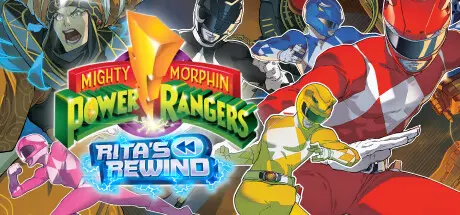
Mighty Morphin Power Rangers: Rita's Rewind

Featured Replies

Mighty Morphin Power Rangers: Rita's Rewind cover art

Mighty Morphin Power Rangers: Rita's Rewind Game Details

Release Name:ย Mighty Morphin Power Rangers: Rita's Rewind

Game Version:ย Build 17373349

Release Date: 10 Dec, 2024

Publisher: Digital Eclipse, Atari

Developer: Digital Eclipse

Based On:ย CSF & Goldberg

Mighty Morphin Power Rangers: Rita's Rewind Direct Download - Game Overview

In Mighty Morphin Power Rangers: Rita's Rewind, the team faces off against a robotic reincarnation of the Power Rangers' long-time nemesis. Robo Rita has conjured a portal to send herself back in time so she can finally vanquish the Power Rangers by forming an alliance with her younger self. Working together, Robo Rita and Rita Repulsa rewind, rewrite, and remix the past in an attempt to stop the very formation of the Power Rangers, altering the course of history.

Will the two Ritas and their army of monstrous enemies from across the MMPR timeline finally succeed in destroying the Power Rangers? Or will these teenagers with attitude learn to work together and counter this catastrophic chronological collaboration?

Players will be able to experience the origins of the Mighty Morphin Power Rangers again โ€“ for the first time! The past will never be the sameโ€ฆ

- Classic 90's look and feel with hand-drawn pixel art
- Fan-favorite enemies pulled from different seasons of the hit tv show
- Events and episodes that players remember from the show have been remixed
- Action-packed, 2-D brawler gameplay with arcade-style shooting and driving sequences
- Pilot all of the original Dinozords
- Jump into the cockpit of the legendary Megazord and take down gigantic bosses


Mighty Morphin Power Rangers: Rita's Rewind Screenshots

Mighty Morphin Power Rangers: Rita's Rewind screenshot 1 Mighty Morphin Power Rangers: Rita's Rewind screenshot 2 Mighty Morphin Power Rangers: Rita's Rewind screenshot 3 Mighty Morphin Power Rangers: Rita's Rewind screenshot 4


Mighty Morphin Power Rangers: Rita's Rewind Trailer


Mighty Morphin Power Rangers: Rita's Rewind System Requirements

Minimum Requirements

Recommended Requirements

OS

Windows 10 (64-bit)

Windows 10 (64-bit)

Processor

Intel i5-2500 - 3.3Ghz or equivalent CPU

Intel Core i7-3770 - 3.4Ghz or higher

Memory

8 GB RAM

8 GB RAM

Graphics

NVIDIA GeForce GTS 250 or equivalent

NVIDIA GTX 960 or equivalent

DirectX

Version 11

Version 11

Storage

800 MB available space

1 GB available space


How to Install Mighty Morphin Power Rangers: Rita's Rewind

  1. No Installation Needed: The game is pre-installed. Just download and extract.

  2. Extract: Right-click the .zip or .rar file and select "Extract Here" or "Extract to folder".

  3. Run: Find MMPR_RR.exe inside the folder and run it.

Multiplayer & Online (Optional)

  • Play Online: Download the Online Fix file and apply it to the game folder.

  • Please go to the online fix page and read the guide.

Game Data & Settings

  • Change Language: Edit the file located at steam_settings/Configs.user.ini

  • Save Data Location: %USERPROFILE%/AppData/Roaming/MMPR Ritas Rewind

Important Notes

๐Ÿ”ฅDOWNLOAD AREA๐Ÿ”ฅ

๐Ÿ”น587 MB๐Ÿ”น

Select the server you want to download with ZeiLink.

Download

Online Fix - (RAR pass: zeigames.com)

  • Views 405
  • Created
  • Last Reply

Posted Images

Create an account or sign in to comment

Recently Browsing 0

  • No registered users viewing this page.

Account

Navigation

Search

Search

๐Ÿ”Ž Search Tip
For exact results, search using "game name" .
Without quotes, results may include unrelated titles.

Configure browser push notifications

Chrome (Android)
  1. Tap the lock icon next to the address bar.
  2. Tap Permissions โ†’ Notifications.
  3. Adjust your preference.
Chrome (Desktop)
  1. Click the padlock icon in the address bar.
  2. Select Site settings.
  3. Find Notifications and adjust your preference.
