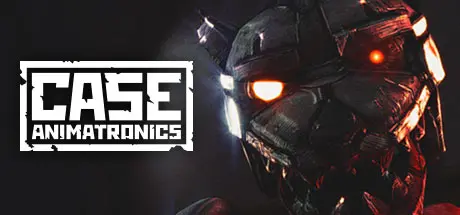
August 29Aug 29 CASE: Animatronics Game DetailsRelease Name: CASE: AnimatronicsGame Version: Build 18208451Release Date: 3 Aug, 2016Publisher: Walnut LLCDeveloper: Walnut LLCBased On: CSF & GoldbergCASE: Animatronics Direct Download - Game OverviewWelcome to the police department, where working late can lead to tragic consequences. You're John Bishop, a swamped-with-work detective who tirelessly carries out your investigations late into the night. But tonight you are pulled from your precious few hours of rest ,and a strange dream, by a mysterious call from an old “friend.” Turning your fight to find the truth into a fight to survive the night.Your police department is left without electricity. The security system has been hacked. All exits are locked. But that is not the real problem.Someone… something is following you. Red eyes shine from dark corners and the sound of shifting, clanking metal echoes through the once safe halls.. You know them simply as animatronics, but something unknown and horrifying is driving them. Figure out what is going on, survive the night, and remember - no one will care if you scream.A tablet to watch the security cameras carefully. You will use a tablet to watch the security cameras, and you need to be seriously careful. Using the environment of the police station is the key to salvation and survival. Be quiet, be alert, move fast. Your only tools, the only things you can rely on, are your legs, your tablet, and a torch.Hide & Sneak. Use closets and cabinets to sneak between animatronics and try to catch a silent breath.Animatronics. The steel legs and arms will treat you well. Get ready to be confused by their abilities. Be prepared to react to the unexpected.Figure out what’s happening. Explore the police department in search of explanations. Don’t forget to listen to the world around you and keep track of the changes around. The only one that can save your life, is you.CASE: Animatronics Screenshots CASE: Animatronics TrailerCASE: Animatronics System RequirementsMinimum RequirementsRecommended RequirementsOSWindows 7Windows 7ProcessorIntel Core2 Quad Q8400Intel Core i5 3470Memory512 MB RAM2 GB RAMGraphicsNVIDIA GeForce GTX 560 1GB / Radeon R7 250X 1GBNVIDIA GeForce GTX 660 Ti 2GBDirectXVersion 10Version 10Storage1 GB available space2 GB available spaceHow to Install CASE: AnimatronicsNo Installation Needed: The game is pre-installed. Just download and extract.Extract: Right-click the .zip or .rar file and select "Extract Here" or "Extract to folder".Run: Find case64.exe inside the folder and run it.Game Data & SettingsChange Language: Edit the file located at steam_settings/Configs.user.iniImportant NotesTo support the Game Developer, Get It On Steam.🔥DOWNLOAD AREA🔥🔹485 MB🔹Select the server you want to download with ZeiLink.Download





Create an account or sign in to comment