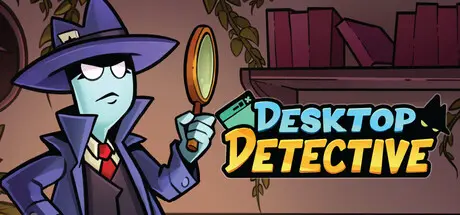
August 29Aug 29 Desktop Detective Game DetailsRelease Name: Desktop DetectiveGame Version: Build 24879533Release Date: 19 Aug, 2026Publisher: PlaysaurusDeveloper: Conradical GamesBased On: CSF & GoldbergDesktop Detective Direct Download - Game OverviewSearch for clues in this idle detective RPG that lives quietly in the corner of your screen.Investigate crime scenes, gain clues, upgrade your stats, and grow stronger across ascensions while you go about your day.Gain XP, level up, and earn rewards such as permanent upgrades or new crime scenes.Find rare gear with huge bonuses. Equip the best and create broken builds.Reset your run to earn Ascendium, unlocking cross-ascension upgrades that boost your progress.Runs in a small corner of your screen so you can work, browse, or game while inspecting.Adjust size and position to fit your setup. Stay passive or play actively. It's up to you!Desktop Detective Screenshots Desktop Detective TrailerDesktop Detective System RequirementsMinimum RequirementsRecommended RequirementsOSWindows 7-ProcessorAMD FX-4350 / Intel® Core™ i3-3210-Memory4 GB RAM-GraphicsAMD Radeon™ R7 260X (2GB VRAM) / NVIDIA® GeForce® GTX 750(2GB VRAM)-DirectX--Storage350 MB available space-How to Install Desktop DetectiveNo Installation Needed: The game is pre-installed. Just download and extract.Extract: Right-click the .zip or .rar file and select "Extract Here" or "Extract to folder".Run: Find Desktop Detective.exe inside the folder and run it.Game Data & SettingsChange Language: Edit the file located at steam_settings/Configs.user.iniSave Data Location: %USERPROFILE%/AppData/LocalLow/Conradical Games/Desktop DetectiveImportant NotesTo support the Game Developer, Get It On Steam.🔥DOWNLOAD AREA🔥🔹1.12 GB🔹Select the server you want to download with ZeiLink.Download





Create an account or sign in to comment