



Theme
Language

Layout
Skip to content
View in the app

A better way to browse. Learn more.

ZeiGames

A full-screen app on your home screen with push notifications, badges and more.

To install this app on iOS and iPadOS
  1. Tap the Share icon in Safari
  2. Scroll the menu and tap Add to Home Screen.
  3. Tap Add in the top-right corner.
To install this app on Android
  1. Tap the 3-dot menu (โ‹ฎ) in the top-right corner of the browser.
  2. Tap Add to Home screen or Install app.
  3. Confirm by tapping Install.

Love the Guard, Be the King - A Visual Novel Free Download (Build 24337226)
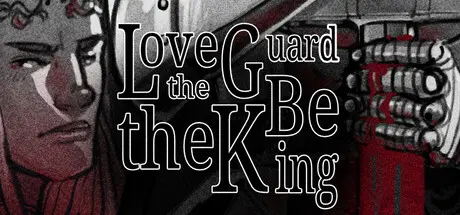
Love the Guard, Be the King - A Visual Novel

Featured Replies

Love the Guard, Be the King - A Visual Novel cover art

Love the Guard, Be the King - A Visual Novel Game Details

Release Name:ย Love the Guard, Be the King - A Visual Novel

Game Version:ย Build 24337226

Release Date: 30 Apr, 2026

Publisher: Ligia Nunes

Developer: Ligia Nunes

Based On:ย CSF & Goldberg

Love the Guard, Be the King - A Visual Novel Direct Download - Game Overview

MATHIASโ€™S HEART HAS BEEN bleeding since his father, the former King, decided to punish you for his mistakes. As the youngest child of a lesser bourgeois, you were raised in the castle, between the Kingโ€™s cruelty, the Queenโ€™s friendship, and Mathiasโ€™s kindness (or supposed kindness?).

Now, more than twenty Carnivals since your arrival, the King is dead and the Queenโ€™s sickness worsens each day. As the azure taint spreads in the kingdom and the Opalean Wars come to an end, itโ€™s Mathiasโ€™s time to sit on the throne. Will the docile Prince become a kind King, a violent Monarch, or a ruthless Tyrant?

Will you have any say in it?

And how much will your relationship change? Develop your personality and see how your choices build and change your bond with Mathias. Itโ€™s time to help him choose. Will your monarch Love the Guard or Be the King?

  • Create your Dragon Commander; choose their gender, name, appearance, and hobbies.

  • Build your personality.

  • You past helps you build your future: decide how you feel about your past and see how that develops your bonds with the other characters of the cast.

  • 270K+ words

  • Black & White aesthetic

  • 24 black & white CGs + 2 colored illustrations

  • One Love Interest with five possible types of branching relationships, non-romantic options included, and possible romantic rendezvous with other characters while in Mathiasโ€™sย friendshipย route.


Love the Guard, Be the King - A Visual Novel Screenshots

Love the Guard, Be the King - A Visual Novel screenshot 1 Love the Guard, Be the King - A Visual Novel screenshot 2 Love the Guard, Be the King - A Visual Novel screenshot 3 Love the Guard, Be the King - A Visual Novel screenshot 4


Love the Guard, Be the King - A Visual Novel Trailer


Love the Guard, Be the King - A Visual Novel System Requirements

Minimum Requirements

Recommended Requirements

OS

Windows Vista or Newer

-

Processor

2 GHz

-

Memory

-

-

Graphics

DirectX or OpenGL compatible card

-

DirectX

-

-

Storage

1 GB available space

-


How to Install Love the Guard, Be the King - A Visual Novel

  1. No Installation Needed: The game is pre-installed. Just download and extract.

  2. Extract: Right-click the .zip or .rar file and select "Extract Here" or "Extract to folder".

  3. Run: Find LovetheGuardbetheKing.exe inside the folder and run it.

Game Data & Settings

  • Change Language: Edit the file located at steam_settings/Configs.user.ini

  • Save Data Location: %USERPROFILE%/AppData/Roaming/RenPy/LovetheGuardbetheKing-1594981818

Important Notes

๐Ÿ”ฅDOWNLOAD AREA๐Ÿ”ฅ

๐Ÿ”น752 MB๐Ÿ”น

Select the server you want to download with ZeiLink.

Download

  • DicDale changed the title to Love the Guard, Be the King - A Visual Novel Free Download (Build 24337226)

  • Views 229
  • Created
  • Last Reply

Posted Images

Create an account or sign in to comment

Recently Browsing 0

  • No registered users viewing this page.

Account

Navigation

Search

Search

๐Ÿ”Ž Search Tip
For exact results, search using "game name" .
Without quotes, results may include unrelated titles.

Configure browser push notifications

Chrome (Android)
  1. Tap the lock icon next to the address bar.
  2. Tap Permissions โ†’ Notifications.
  3. Adjust your preference.
Chrome (Desktop)
  1. Click the padlock icon in the address bar.
  2. Select Site settings.
  3. Find Notifications and adjust your preference.