



Theme
Language

Layout
Skip to content
View in the app

A better way to browse. Learn more.

ZeiGames

A full-screen app on your home screen with push notifications, badges and more.

To install this app on iOS and iPadOS
  1. Tap the Share icon in Safari
  2. Scroll the menu and tap Add to Home Screen.
  3. Tap Add in the top-right corner.
To install this app on Android
  1. Tap the 3-dot menu (โ‹ฎ) in the top-right corner of the browser.
  2. Tap Add to Home screen or Install app.
  3. Confirm by tapping Install.

Sonic Generations Collection Free Download (Build 29107 + Casino Night DLC)
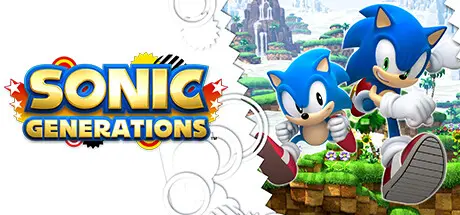
Sonic Generations Collection

Featured Replies

Sonic Generations Collection cover art

Sonic Generations Collection Game Details

Release Name:ย Sonic Generations Collection

Game Version:ย Build 29107

Release Date: 3 Nov, 2011

Publisher: SEGA

Developer: Devil's Details

Based On:ย CSF & Goldberg

Sonic Generations Collection Direct Download - Game Overview

The ultimate celebration of 20 Years of Sonic gaming, Sonic Generations delivers the definitive experience for Sonic fans new and old.
Sonicโ€™s universe is thrown into chaos when a mysterious new power comes into force, creating โ€˜time holesโ€™ which take Sonic and his friends back in time. Whilst there, Sonic runs into some very familiar characters from his past including a younger version of himself! Now they must team up to defeat their enemies, save their friends, and find out who is behind this diabolical deed.

  • Twice the Fun - Play as both Classic Sonic and Modern Sonic in the ultimate Sonic experience. Master the moves of each character as they race through each environment on their own designed built track.

  • The Best Bits Just Got Better - Iconic environments from gaming history come to life in beautiful HD for the ultimate Sonic adventure, each revisited, recreated and re-imagined with stunning results.

  • All New Experience - Play some of your gamingโ€™s most iconic environments in a whole new way with famous Sonic stages presented in stunning new stereoscopic 3D.

  • Unlock New Adventures - Once you complete each level and โ€˜freeโ€™ Sonicโ€™s captured friends, youโ€™ll get to go back and take on more challenges with them at your side.

  • Infamous Bosses and Rivals - Take on some of the most notorious characters from Sonicโ€™s past as you fight for ultimate supremacy.

  • Master Your Moves - Master Classic Sonics famous spin-dash attack and utilise Modern Sonicโ€™s โ€˜Boostโ€™ as you complete all new tracks.


Casino Night DLC:

Play through the iconic โ€˜Casino Nightโ€™ Pinball stage inspired by โ€˜Sonic The Hedgehog 2โ€™


Sonic Generations Collection Screenshots

Sonic Generations Collection screenshot 1 Sonic Generations Collection screenshot 2 Sonic Generations Collection screenshot 3 Sonic Generations Collection screenshot 4


Sonic Generations Collection Trailer


Sonic Generations Collection System Requirements

Minimum Requirements

Recommended Requirements

OS

Microsoft Windows 7/Vista/XP

Microsoft Windows 7

Processor

Intel Pentium Dual-Core T4200 (2x2.0GHz) or AMD equivalent

Intel Core i5 @ 2.66 GHz / AMD Phenom II X4 @ 3.0 GHz

Memory

2GB RAM (XP)/3GB RAM (Windows 7 / Vista)

3GB RAM

Graphics

NVIDIA GeForce 8800 (512MB) / ATI Radeon HD 2900 (512MB)

NVIDIA GeForce GTX 460 (1GB) / ATI Radeon HD 5850 (1GB)

DirectX

Storage

11 GB free hard drive space

11 GB free hard drive space


How to Install Sonic Generations Collection

  1. No Installation Needed: The game is pre-installed. Just download and extract.

  2. Extract: Right-click the .zip or .rar file and select "Extract Here" or "Extract to folder".

  3. Run: Run Sonic.reg first. Run ConfigurationTool.exe and Find SonicGenerations.exe inside the folder and run it.

Important Notes

DLC List

Added DLCs

Sonic Generations - Casino Night DLC

๐Ÿ”ฅDOWNLOAD AREA๐Ÿ”ฅ

๐Ÿ”น7.82 GB๐Ÿ”น

Select the server you want to download with ZeiLink.

Download

  • Views 234
  • Created
  • Last Reply

Posted Images

Create an account or sign in to comment

Recently Browsing 0

  • No registered users viewing this page.

Account

Navigation

Search

Search

๐Ÿ”Ž Search Tip
For exact results, search using "game name" .
Without quotes, results may include unrelated titles.

Configure browser push notifications

Chrome (Android)
  1. Tap the lock icon next to the address bar.
  2. Tap Permissions โ†’ Notifications.
  3. Adjust your preference.
Chrome (Desktop)
  1. Click the padlock icon in the address bar.
  2. Select Site settings.
  3. Find Notifications and adjust your preference.
