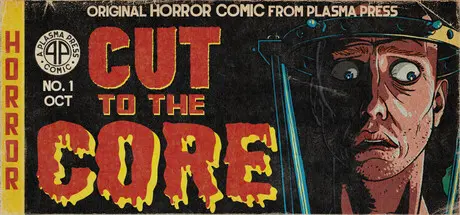
6 hours ago6 hr Cut to the Core Game DetailsRelease Name: Cut to the CoreGame Version: v1.0.1.0 | Build 24662797Release Date: 31 Jul, 2022Publisher: AAD ProductionsDeveloper: Plasma PressBased On: CSF & GoldbergCut to the Core Direct Download - Game OverviewHow much of someone can you cut away before there's nothing left? Find out in this chilling kinetic novel - IF YOU DARE!When Jack Weir checked in for routine surgery he never imagined his life would become a non-stop horror show. Now in the clutches of the mad doctor Lacey Scalia, Jack clings to life and the distant hope that someone - anyone - will save him from her gruesome experiments. Will Jack survive the whims of the doctor? And if he does... WHAT WILL BE LEFT OF HIM?This ghastly tale is a kinetic novel, meaning a linear text-based game with one ending. Its story and visuals are inspired by classic horror anthology comics like Tales from the Crypt and Creepshow. Length is approximately 3 hours.Cut to the Core Screenshots Cut to the Core TrailerCut to the Core System RequirementsMinimum RequirementsRecommended RequirementsOSWindows 10-Processor2GHZ-Memory4 GB RAM-GraphicsDirectX 11 capable GPU-DirectXVersion 11-Storage7 GB available space-How to Install Cut to the CoreNo Installation Needed: The game is pre-installed. Just download and extract.Extract: Right-click the .zip or .rar file and select "Extract Here" or "Extract to folder".Run: Find CTTC.exe inside the folder and run it.Game Data & SettingsChange Language: Edit the file located at steam_settings/Configs.user.iniSave Data Location: %USERPROFILE%/AppData/LocalLow/Plasma Press/CTTC/Important NotesTo support the Game Developer, Get It On Steam.🔥DOWNLOAD AREA🔥🔹3.67 GB🔹Select the server you want to download with ZeiLink.Download





Create an account or sign in to comment