



Theme
Language

Layout
Skip to content
View in the app

A better way to browse. Learn more.

ZeiGames

A full-screen app on your home screen with push notifications, badges and more.

To install this app on iOS and iPadOS
  1. Tap the Share icon in Safari
  2. Scroll the menu and tap Add to Home Screen.
  3. Tap Add in the top-right corner.
To install this app on Android
  1. Tap the 3-dot menu (โ‹ฎ) in the top-right corner of the browser.
  2. Tap Add to Home screen or Install app.
  3. Confirm by tapping Install.

Class of '09: The Flip Side Free Download (Build 15569248)
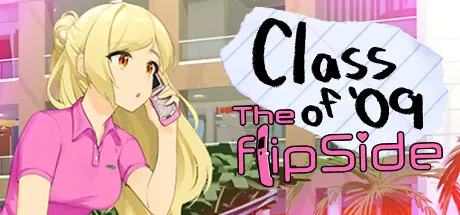
Class of '09: The Flip Side

Featured Replies

Class of '09: The Flip Side cover art

Class of '09: The Flip Side Game Details

Release Name:ย Class of '09: The Flip Side

Game Version:ย Build 15569248

Release Date: 23 Sep, 2024

Publisher: Wrath Club

Developer: SBN3

Based On:ย CSF

Class of '09: The Flip Side Direct Download - Game Overview

The Class of '09 series transforms the visual novel medium into a fully voiced American-style sitcom that anyone can pick up and enjoy! You can choose the adventure of mean teenage girls featuring biting social accuracy as they navigate life from 2007 to 2009.

The stories and characters are all inspired by real events, encounters, and personalities experienced by the writer/lead developer.


Class of '09 and Nicole made huge waves on Twitch and TikTok in 2023... and now the franchise is back with Jecka in control of the Class of '09 story! Nicole's blonde best friend comes with her own set of traumatic problems you'll need to navigate her through. There are 5 more endings with another secret bonus video for you to watch to discover the true meaning of this wild series.


The Class of '09 series has not abandoned its easy pickup-and-play storytelling model. Class of '09: The Flip Side is another rich collection of sitcom style story stems any player can enjoy with minimal context. However this time... some plotlines might change how you saw the Class of '09 story before!
Class of '09: The Flip Side, nor any fan of the series, will take this new perspective for granted.


Kayli Mills returns as the voice of Jecka now leading the game! Elsie Lovelock after winning a One Voice Award for her performance as Nicole, reprises her role as well. We are not exaggerating when we say Class of '09 features the greatest voicework in the history of gaming. From dramatic moments to landing difficult punchlines, the award-winning Class of '09 cast never misses a beat in this fully voiced saga.


Class of '09: The Flip Side Screenshots

Class of '09: The Flip Side screenshot 1 Class of '09: The Flip Side screenshot 2 Class of '09: The Flip Side screenshot 3 Class of '09: The Flip Side screenshot 4


Class of '09: The Flip Side System Requirements

Minimum Requirements

Recommended Requirements

OS

Windows Vista or higher

Windows 10 or higher

Processor

2.0 GHz Core 2 Duo

2.2 GHz i5 or higher

Memory

4 GB RAM

4 GB RAM

Graphics

Open GL 2.0 or DirectX 9.0c

Open GL 2.0 or DirectX 9.0c

DirectX

Version 9.0c

-

Storage

800 MB available space

800 MB available space


How to Install Class of '09: The Flip Side

  1. No Installation Needed: The game is pre-installed. Just download and extract.

  2. Extract: Right-click the .zip or .rar file and select "Extract Here" or "Extract to folder".

  3. Run: Find C09FS.exe inside the folder and run it.

Important Notes

๐Ÿ”ฅDOWNLOAD AREA๐Ÿ”ฅ

๐Ÿ”น1.03 GB๐Ÿ”น

Select the server you want to download with ZeiLink.

Download

  • Views 131
  • Created
  • Last Reply

Posted Images

Create an account or sign in to comment

Recently Browsing 0

  • No registered users viewing this page.

Account

Navigation

Search

Search

๐Ÿ”Ž Search Tip
For exact results, search using "game name" .
Without quotes, results may include unrelated titles.

Configure browser push notifications

Chrome (Android)
  1. Tap the lock icon next to the address bar.
  2. Tap Permissions โ†’ Notifications.
  3. Adjust your preference.
Chrome (Desktop)
  1. Click the padlock icon in the address bar.
  2. Select Site settings.
  3. Find Notifications and adjust your preference.
