



Theme
Language

Layout
Skip to content
View in the app

A better way to browse. Learn more.

ZeiGames

A full-screen app on your home screen with push notifications, badges and more.

To install this app on iOS and iPadOS
  1. Tap the Share icon in Safari
  2. Scroll the menu and tap Add to Home Screen.
  3. Tap Add in the top-right corner.
To install this app on Android
  1. Tap the 3-dot menu (โ‹ฎ) in the top-right corner of the browser.
  2. Tap Add to Home screen or Install app.
  3. Confirm by tapping Install.

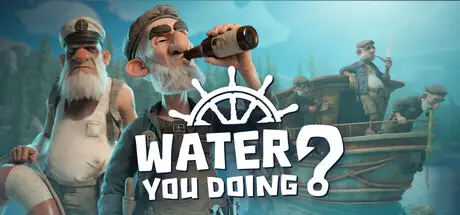
Water You Doing? Free Download (Build 24951435 + Online)
Water You Doing?

Featured Replies

Water You Doing? cover art

Water You Doing? Game Details

Release Name:ย Water You Doing?

Game Version:ย Build 24951435

Release Date: 26 Aug, 2026

Publisher: DiSolve Studios

Developer: DiSolve Studios

Based On:ย CSF & Goldberg

Water You Doing? Direct Download - Game Overview

You and your crew got the party location wrong, and your ride broke down. Navigate through unforgiving waters using a beat-up ship that will from now on serve as your new, musty home.

This won't be an easy task, however, as you'll be facing the greatest enemy of primary school students: physics. Add to that falling boulders, sea mines, dangerous fauna, and much, much more.

Fortunately, the ship is equipped with a harpoon system that is sure to help you overcome even the toughest obstacles. The number of harpoons will increase as the game progresses, allowing for a creative approach to the problems you encounter.

Since this is a trip out on the water, fishing is an absolute must. Sell your fish to buy items that will make your survival easier.

Use gathered wood and scrap to repair the boat so you don't sink before reaching your destination. Remember to take care of yourself, tooโ€”but if things go south, all is not lost! Your crew can revive you using a Golden Fish.

Remember, though, that the destination isn't the most important thing; it's the journey and the company you keep along the way. The more you stray off the beaten path, the more items you'll be able to gatherโ€”and maybe you'll even uncover the secret of Laba the Frog.


Water You Doing? Screenshots

Water You Doing? screenshot 1 Water You Doing? screenshot 2 Water You Doing? screenshot 3 Water You Doing? screenshot 4


Water You Doing? Trailer


Water You Doing? System Requirements

Minimum Requirements

Recommended Requirements

OS

Windows 10 / 11 - 64 bit

Windows 10 / 11 - 64 bit

Processor

Intel Core i5 6300 HQ | AMD Ryzen 3 1200

Intel Core i5-9400F | AMD Ryzen 5 3600

Memory

-

-

Graphics

NVIDIA GeForce GTX 950M 4GB | AMD RX 550 Mobile 4GB

NVIDIA GeForce RTX 2060 6GB | AMD RX 5600 XT 6GB

DirectX

Version 11

Version 12

Storage

4 GB available space

6 GB available space


How to Install Water You Doing?

  1. No Installation Needed: The game is pre-installed. Just download and extract.

  2. Extract: Right-click the .zip or .rar file and select "Extract Here" or "Extract to folder".

  3. Run: Find WYDRO.exe inside the folder and run it.

Multiplayer & Online (Optional)

  • Play Online: Download the Online Fix file and apply it to the game folder.

  • Please go to the online fix page and read the guide.

Game Data & Settings

  • Change Language: Edit the file located at steam_settings/Configs.user.ini

  • Save Data Location: %USERPROFILE%/AppData/Local/WYDRO/Saved/SaveGames/

Important Notes

๐Ÿ”ฅDOWNLOAD AREA๐Ÿ”ฅ

๐Ÿ”น3.74 GB๐Ÿ”น

Select the server you want to download with ZeiLink.

Download

Online Fix - (RAR pass: zeigames.com)

  • Views 1.1k
  • Created
  • Last Reply

Posted Images

Create an account or sign in to comment

Recently Browsing 0

  • No registered users viewing this page.

Account

Navigation

Search

Search

๐Ÿ”Ž Search Tip
For exact results, search using "game name" .
Without quotes, results may include unrelated titles.

Configure browser push notifications

Chrome (Android)
  1. Tap the lock icon next to the address bar.
  2. Tap Permissions โ†’ Notifications.
  3. Adjust your preference.
Chrome (Desktop)
  1. Click the padlock icon in the address bar.
  2. Select Site settings.
  3. Find Notifications and adjust your preference.
