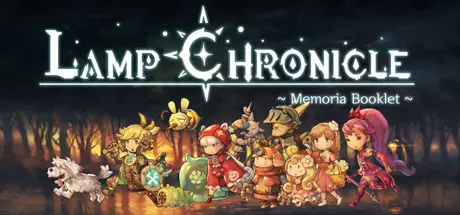
August 26Aug 26 Lamp Chronicle Game DetailsRelease Name: Lamp ChronicleGame Version: v0.9.14.7437 | Build 7999295Release Date: 20 Jan, 2021Publisher: Pixellica Corp.Developer: Pixellica Corp.Based On: CSF & GoldbergLamp Chronicle Direct Download - Game Overview The evil energy of darkness spread around the world, resulting in many lives in the kingdom losing their memories or being turned into monsters.On the night of the fall of the kingdom, the princess, who fought the darkness, had to hide a lamp of light, which was the treasure of the kingdom that possessed a mysterious power. During this chaotic fight, the princess's friend Luca happened to took over the lamp and managed to escape the Kingdom. He heals his wounds near his hometown and goes on an adventure to save the kingdom. Can Luka, still a flimsy knight trainee, become the true owner of the lamp, drive out the darkness and find the missing princess? His long and dangerous journey, full of monsters, is challenging.Explore various areas of the kingdom of Lifenia that have been fallen by the darkness.Each and every one of the backgrounds, characters, and monsters are hand painted to present them beautifully and to add depth of emotion.No complicated combos, thus the game is intuitive and you can immediately start playing.You grow stronger by finding various hidden weapons, items, and skills.As more abilities such as dash and double jump are added, you can enjoy more exciting battles and escape traps.Trade helpful items through several shops you visit in the middle of your expedition.You will encounter fierce middle bosses and huge stage bosses.Lamp Chronicle Screenshots Lamp Chronicle TrailerLamp Chronicle System RequirementsMinimum RequirementsRecommended RequirementsOSWindows 7+Windows 10ProcessorIntel Core i5Intel Core i5+Memory8 GB RAM8 GB RAMGraphicsGeForce 650 TiGeForce GTX 960DirectX--Storage4 GB available space6 GB available spaceHow to Install Lamp ChronicleNo Installation Needed: The game is pre-installed. Just download and extract.Extract: Right-click the .zip or .rar file and select "Extract Here" or "Extract to folder".Run: Find LampChronicle.exe inside the folder and run it.Game Data & SettingsChange Language: Edit the file located at steam_settings/Configs.user.iniSave Data Location: %USERPROFILE%/AppData/LocalLow/Pixellica/LampChronicle/Important NotesTo support the Game Developer, Get It On Steam.🔥DOWNLOAD AREA🔥🔹1.36 GB🔹Select the server you want to download with ZeiLink.Download





Create an account or sign in to comment