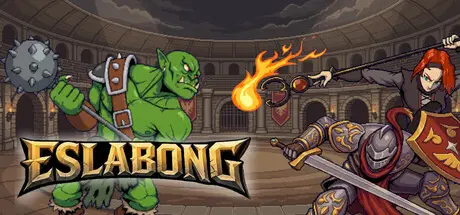
August 25Aug 25 Eslabong Game DetailsRelease Name: EslabongGame Version: v0.31.9 | Build 24933617Release Date: 24 Aug, 2026Publisher: shirowitaDeveloper: shirowitaBased On: CSF & GoldbergEslabong Direct Download - Game OverviewControl one fighter in fast-paced arena battles. Aim abilities, move, and react in real time to outplay your opponents through positioning and timing. Or step back, set tactics, and watch your team fight.Win fights to earn gold, buy and sell mercenaries, and strengthen your roster. Discover classes with unique abilities, shape your team, and upgrade it across seasons.Put your team to the test in structured leagues and tournaments. Face powerful clubs and unique leaders, recruit rare champions, and climb your way to the top.Every run forces new decisions. Randomized stats, evolving rosters, and dynamic opponents keep each season different, while the market gives you new ways to adapt and improve.A medieval world where war has been replaced by arena combat. Clubs of mercenaries compete in structured leagues for power, gold, and prestige. Enter the arena. Climb to the top.Eslabong Screenshots Eslabong TrailerEslabong System RequirementsMinimum RequirementsRecommended RequirementsOSWindows 10 (64-bit)Windows 10 / 11 (64-bit)ProcessorIntel Core i3-2100 / AMD FX-4300Intel Core i5-4460 / AMD Ryzen 3 1200Memory8 GB RAM16 GB RAMGraphicsIntel HD Graphics 4000NVIDIA GTX 750 Ti / AMD Radeon R7 260XDirectX--Storage2 GB available space5 GB available spaceHow to Install EslabongNo Installation Needed: The game is pre-installed. Just download and extract.Extract: Right-click the .zip or .rar file and select "Extract Here" or "Extract to folder".Run: Find Launcher.exe inside the folder and run it.Game Data & SettingsChange Language: Edit the file located at steam_settings/Configs.user.iniSave Data Location: %USERPROFILE%/AppData/Roaming/Godot/app_userdata/EslabongImportant NotesTo support the Game Developer, Get It On Steam.🔥DOWNLOAD AREA🔥🔹816 MB🔹Select the server you want to download with ZeiLink.Download
August 25Aug 25 When I launch, it tries to download the demo on steam, then the game closes.Edit: If I install the demo, the same thing happens, except it just launches the demo after closing the game. Edited August 25Aug 25 by AzraelSorrow
August 25Aug 25 Author 33 minutes ago, AzraelSorrow said:When I launch, it tries to download the demo on steam, then the game closes.Edit: If I install the demo, the same thing happens, except it just launches the demo after closing the game.Why u not read guide?





Create an account or sign in to comment