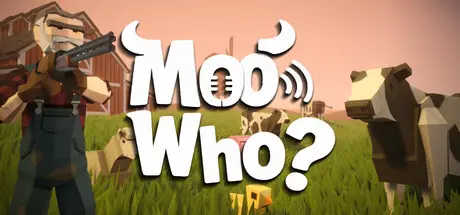
Saturday at 04:09 PM3 days Moo Who? Game DetailsRelease Name: Moo Who?Game Version: Build 24872977Release Date: 21 Aug, 2026Publisher: SAT ProductionsDeveloper: SAT ProductionsBased On: CSF & UnsteamMoo Who? Direct Download - Game OverviewMoo Who? is a multiplayer voice-mimicry party game where animal players hide among NPC herds while hunters try to figure out who is fake.Every animal player must use their microphone to mimic their assigned species.Moo like a cow. Cluck like a chicken. Oink like a pig. Baa like a sheep.Just make it believable enough to survive.You can’t hide silently forever.When the sound-pressure moment begins, make your animal sound before it is too late. If you fail, buzzing flies will appear around you and make your location easier for hunters to spot.Hunters carry a shotgun, but every shot matters.Shoot the wrong animal and you waste your chance. Shoot the real player and the hunters get closer to victory.Play online with 2–8 players in short, chaotic matches full of panic, suspicion, fake confidence, wrong accusations, and terrible animal sounds.Moo Who? Screenshots Moo Who? TrailerMoo Who? System RequirementsMinimum RequirementsRecommended RequirementsOSWindows 10 64-bitWindows 10 / Windows 11 64-bitProcessorIntel Core i5-7400 / AMD Ryzen 3 1200Intel Core i5-10400 / AMD Ryzen 5 3600Memory8 GB RAM8 MB RAMGraphicsNVIDIA GTX 1050 / AMD Radeon RX 560 or equivalentNVIDIA GTX 1060 / GTX 1650 / AMD Radeon RX 580 or equivalentDirectXVersion 11Version 11Storage4 GB available space4 GB available spaceHow to Install Moo Who?No Installation Needed: The game is pre-installed. Just download and extract.Extract: Right-click the .zip or .rar file and select "Extract Here" or "Extract to folder".Run: Sign in Steam Account and Find Moo Who?.exe inside the folder and run it.Important NotesTo support the Game Developer, Get It On Steam.🔥DOWNLOAD AREA🔥🔹768 MB🔹Select the server you want to download with ZeiLink.Download





Create an account or sign in to comment