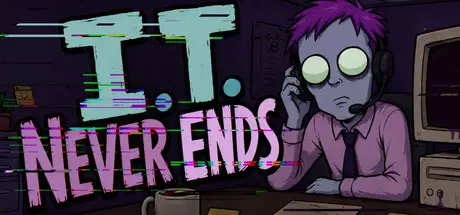
Saturday at 03:42 PM3 days I.T. Never Ends Game DetailsRelease Name: I.T. Never EndsGame Version: v2.7.50 | Build 24803873Release Date: 14 Aug, 2026Publisher: Dadbod GamesDeveloper: Dadbod GamesBased On: CSF & GoldbergI.T. Never Ends Direct Download - Game OverviewIn I.T. NEVER ENDS, you are the newly hired Systems Administrator at a company that was definitely founded in 2015, regardless of what the USB drive buried in the wall says.Your job? Process tickets. Keep the lights on. Don't let the coffee machine's prophecies ruin anyone's morning.The pay is bad. The hours are worse. If any of your metrics hit zero, you're gone. And something tells you the Bahamas aren't in your future. Every day brings a deluge of tech support requests from your coworkers. The interface is simple. The choices are not.SWIPE TO SURVIVE: Gary needs his password reset to GaryRocks123. Again. The brute-force bots are thrilled. Swipe Right to approve or Swipe Left to deny. Both options have consequences.BALANCE FOUR METRICS: Productivity. Budget. Morale. Entropy. Let any one flatline and your shift ends. Permanently. Let Entropy climb too high and the building starts... remembering things.EVERY TICKET MATTERS: That keyboard pulsating with ectoplasm? Not your biggest problem. The elevator now goes to a floor that doesn't exist. Three coworkers have been texting "almost back" for an hour. And Legal needs VPN access from somewhere redacted.REDACT FORBIDDEN TEXT: Marketing accidentally CC'd the summoning ritual to the whole company. Again. Censor the document before anyone reads it and loses their mind. Some things were not meant for mortal eyes.STABILIZE THE NETWORK: The server room has developed its own weather system. Patch Packet Loss, plug violent Stack Overflows, and reroute power before rack 7 floods. It rains at 2:47 PM. Precisely.HUNT ROGUE DATA: Track volatile data entities through the server architecture before they corrupt something important or find you first.I.T. Never Ends Screenshots I.T. Never Ends TrailerI.T. Never Ends System RequirementsMinimum RequirementsRecommended RequirementsOSWindows 10+-Processori3+-Memory4 GB RAM-GraphicsNvidia GTX 460 or betterNvidia GTX 660 or betterDirectX--Storage500 MB available space-How to Install I.T. Never EndsNo Installation Needed: The game is pre-installed. Just download and extract.Extract: Right-click the .zip or .rar file and select "Extract Here" or "Extract to folder".Run: Find ITNeverEnds.exe inside the folder and run it.Game Data & SettingsChange Language: Edit the file located at steam_settings/Configs.user.iniImportant NotesTo support the Game Developer, Get It On Steam.🔥DOWNLOAD AREA🔥🔹321 MB🔹Select the server you want to download with ZeiLink.Download





Create an account or sign in to comment