



Theme
Language

Layout
Skip to content
View in the app

A better way to browse. Learn more.

ZeiGames

A full-screen app on your home screen with push notifications, badges and more.

To install this app on iOS and iPadOS
  1. Tap the Share icon in Safari
  2. Scroll the menu and tap Add to Home Screen.
  3. Tap Add in the top-right corner.
To install this app on Android
  1. Tap the 3-dot menu (⋮) in the top-right corner of the browser.
  2. Tap Add to Home screen or Install app.
  3. Confirm by tapping Install.

Emergency Call 112 – The Fire Fighting Simulation 2 Free Download (v1.2.17277 + ALL DLC)
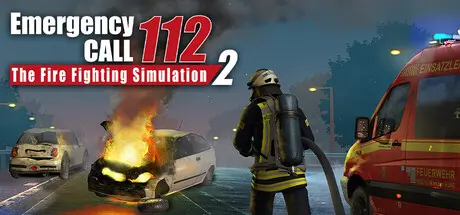
Emergency Call 112 – The Fire Fighting Simulation 2

Featured Replies

Emergency Call 112 – The Fire Fighting Simulation 2 cover art

Emergency Call 112 – The Fire Fighting Simulation 2 Game Details

Release Name: Emergency Call 112 – The Fire Fighting Simulation 2

Game Version: v1.2.17277 | Build 17866875

Release Date: 18 Mar, 2021

Publisher: Aerosoft GmbH

Developer: Crenetic

Based On: CSF & Goldberg

Emergency Call 112 – The Fire Fighting Simulation 2 Direct Download - Game Overview

simulates the working methods of the German professional firefighters. Experience how they work, how they proceed tactically and which tools they use. You can expect a variety of tasks in the areas of rescue, extinguishing, recovery and protection.

Experience 24-hour shifts with varied assignments at one of the most beautiful and modern fire stations in Germany. The station, its work methods and emergency vehicles were implemented in close cooperation with the professional fire department.

Be there when the entire fire brigade of the station goes out. Change into the role of any firefighter at any time and master the daily challenges. In order not to lose the overview at the scene, you can distribute orders in a tactical mode, which are processed by the AI independently.

Play alone or with other firefighting enthusiasts in multiplayer mode and experience the firefighting profession in all its exciting facets.


Emergency Call 112 – The Fire Fighting Simulation 2 Screenshots

Emergency Call 112 – The Fire Fighting Simulation 2 screenshot 1 Emergency Call 112 – The Fire Fighting Simulation 2 screenshot 2 Emergency Call 112 – The Fire Fighting Simulation 2 screenshot 3 Emergency Call 112 – The Fire Fighting Simulation 2 screenshot 4


Emergency Call 112 – The Fire Fighting Simulation 2 Trailer


Emergency Call 112 – The Fire Fighting Simulation 2 System Requirements

Minimum Requirements

Recommended Requirements

OS

Windows 10 64-bit

-

Processor

AMD Ryzen 3 1500X / Intel i5-6600K

-

Memory

8 GB RAM

-

Graphics

GPU with 4 GB VRAM, Nvidia GeForce GTX 1060 (4 GB) or AMD Radeon RX 560 (6GB) (no support of OnBoard graphic card)

-

DirectX

Version 11

-

Storage

20 GB available space

-


How to Install Emergency Call 112 – The Fire Fighting Simulation 2

  1. No Installation Needed: The game is pre-installed. Just download and extract.

  2. Extract: Right-click the .zip or .rar file and select "Extract Here" or "Extract to folder".

  3. Run: Find notruf2019.exe inside the folder and run it.

Game Data & Settings

  • Change Language: Edit the file located at steam_settings/Configs.user.ini

Important Notes

DLC List

Added DLCs

Notruf 112 - Die Feuerwehr Simulation 2: WLF - Das Wechselladerfahrzeug (Emergency Call 112 - The Fire Fighting Simulation 2: The Swap Body Vehicle)

Notruf 112 - Die Feuerwehr Simulation 2: Freiwillige Feuerwehr (Emergency Call 112 - The Fire Fighting Simulation 2: Volunteer Firefighters)

🔥DOWNLOAD AREA🔥

🔹7.09 GB🔹

Select the server you want to download with ZeiLink.

Download

  • Views 156
  • Created
  • Last Reply

Posted Images

Create an account or sign in to comment

Recently Browsing 0

  • No registered users viewing this page.

Account

Navigation

Search

Search

🔎 Search Tip
For exact results, search using "game name" .
Without quotes, results may include unrelated titles.

Configure browser push notifications

Chrome (Android)
  1. Tap the lock icon next to the address bar.
  2. Tap Permissions → Notifications.
  3. Adjust your preference.
Chrome (Desktop)
  1. Click the padlock icon in the address bar.
  2. Select Site settings.
  3. Find Notifications and adjust your preference.
