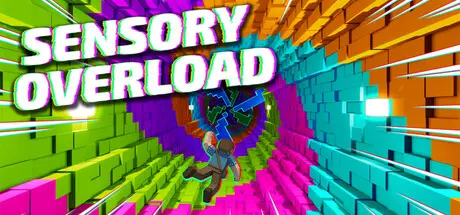
Saturday at 06:50 AM3 days Sensory Overload Game DetailsRelease Name: Sensory OverloadGame Version: Build 24840501Release Date: 20 Aug, 2026Publisher: Pancake StudiosDeveloper: Pancake StudiosBased On: CSF & GoldbergSensory Overload Direct Download - Game OverviewPrepare for a deliberate assault on your sense of balance. Sensory Overload is a dropper game where the environment itself is designed to fight you. Dodge obstacles while the walls breathe, the colors shift, and the world twists to drag your vision into a spiral.Stunning levels of escalating visual chaosDodge faster and faster with Ranked Mode.Visual effects designed to disorient your sensesLevels named after what they'll do to you: Vertigo, Nausea, Peristalsis, Apocalypse...Challenge yourself with the near-impossible final levelsSensory Overload Screenshots Sensory Overload TrailerSensory Overload System RequirementsMinimum RequirementsRecommended RequirementsOSWindows 10 64-bitWindows 10 64-bit or Windows 11ProcessorQuad-core 64-bit CPU, 2.5 GHz (e.g. Intel Core i5-6500 / AMD Ryzen 3 1200)Quad-core 3.0 GHz (e.g. Intel Core i5-8400 / AMD Ryzen 5 2600)Memory1024 MB RAM2048 MB RAMGraphicsGPU with Vulkan 1.0 support and 2 GB VRAM (e.g. NVIDIA GTX 750 Ti / AMD RX 460 / Intel Iris Xe)Dedicated GPU with 4 GB VRAM and Vulkan 1.0 support (e.g. NVIDIA GTX 1060 / AMD RX 580)DirectX--Storage500 MB available space500 MB available spaceHow to Install Sensory OverloadNo Installation Needed: The game is pre-installed. Just download and extract.Extract: Right-click the .zip or .rar file and select "Extract Here" or "Extract to folder".Run: Find Launcher.exe inside the folder and run it.Game Data & SettingsChange Language: Edit the file located at steam_settings/Configs.user.iniSave Data Location: %USERPROFILE%/AppData/Roaming/Godot\app_userdata\Sensory OverloadImportant NotesTo support the Game Developer, Get It On Steam.🔥DOWNLOAD AREA🔥🔹134 MB🔹Select the server you want to download with ZeiLink.Download





Create an account or sign in to comment