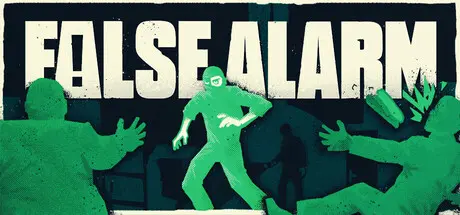
Friday at 03:04 PM4 days False Alarm Game DetailsRelease Name: False AlarmGame Version: v1.0.7 | Build 24857909Release Date: 20 Aug, 2026Publisher: Scattered DiscsDeveloper: Scattered DiscsBased On: CSF & GoldbergFalse Alarm Direct Download - Game OverviewTake on the role of a professional thief for hire, tasked with stealing the things that matter most to your clients. Break into offices, hotels, museums, and other heavily guarded locations, then find a way to escape with the target in hand.Turn normal everyday workplaces on their head. Manipulate the building security to get them out of your way, any way necessary. Sneak past your enemies, stay in the shadows, and hide behind the couch. Observe your environment with patience, and execute each plan step by step to get through each encounter.Create distractions, set traps, and find clever ways to outsmart security. Turn off the lights to restrict their vision, make noise with the photocopier to draw them closer, knock on doors to pull them into the next room, and brew some aromatic coffee to really get them out of the way.Coordinate your actions to manoeuvre the security to where you want them. Set up chains of distractions to really annoy them. Be careful you’re not seen, though. These guys are defenceless when they don’t know where you are, but if you’re spotted, you’ll need to get away fast!When all else fails, you’re not above using force. This may involve some casualties, but that’s all part of the job. Use the environment to your advantage. Running enemies will slide on icy surfaces, putting the wrong item in a microwave will lead to disaster, and no one should be breathing in whatever that pink gas is.Stealth system based on light and shadow, line of sight, and sound.Distraction system that allows you to manipulate enemies and make them go where you want.Unique levels full of useful items, hiding places, and equipment you can interact with.Multiple routes through each area.Enemy AI that reacts to unconscious allies, loud noises, and alert levels.False Alarm Screenshots False Alarm TrailerFalse Alarm System RequirementsMinimum RequirementsRecommended RequirementsOSWindows 10 64-bitWindows 10/11 64-bitProcessorIntel Core i3-6100 or AMD FX-6300Intel Core i5-6600K or AMD Ryzen 5 1600Memory4 GB RAM8 GB RAMGraphicsNVIDIA GTX 650, AMD Radeon HD 7750, or Intel HD 530NVIDIA GTX 1050 or AMD Radeon RX 460DirectXVersion 11Version 11Storage1 GB available space1 GB available spaceHow to Install False AlarmNo Installation Needed: The game is pre-installed. Just download and extract.Extract: Right-click the .zip or .rar file and select "Extract Here" or "Extract to folder".Run: Find Launcher.exe inside the folder and run it.Game Data & SettingsChange Language: Edit the file located at steam_settings/Configs.user.iniSave Data Location: %USERPROFILE%/AppData/Roaming/Godot\app_userdata\False Alarm\savesImportant NotesTo support the Game Developer, Get It On Steam.🔥DOWNLOAD AREA🔥🔹107 MB🔹Select the server you want to download with ZeiLink.Download





Create an account or sign in to comment