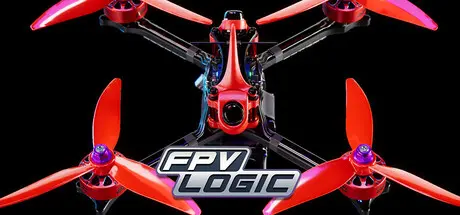
Friday at 12:50 PM4 days FPV LOGIC Game DetailsRelease Name: FPV LOGICGame Version: v0.62 | Build 18810974Release Date: 30 Jun, 2023Publisher: UT STUDIODeveloper: UT STUDIOBased On: CSFFPV LOGIC Direct Download - Game Overview FPV LOGIC is an FPV drone simulator with a physics engine that closely mimics the real flight state of drones, providing an operation experience close to that of real drones, and has many features that real drones cannot achieve.Experience various FPV drones from different manufacturers, from frames to propellers, from weight to performance, each drone will bring a different delicate operation experience. Three different perspectives can be switched at any time to let you experience the fun of flying from different viewpoints.Whether you like freestyle flying or professional racing, or just leisurely flying with a micro drone, FPV LOGIC offers something for every pilot. Maps carefully designed for freestyle flying can meet all your needs to improve your flying skills. Professional racing tracks with up to 20 AI drones racing with you at the same time can definitely make you feel like you are on the race scene.The simplified design of various drone parameters allows FPV novices to fly freely. If you are a professional pilot, you can also easily adjust your drone to the best state.FPV LOGIC Screenshots FPV LOGIC TrailerFPV LOGIC System RequirementsMinimum RequirementsRecommended RequirementsOSWin10Win10 & Win11ProcessorIntel 8th gen / AMD Ryzen 1st gen - 2.4GHzIntel 10th gen / AMD Ryzen 3rd gen - 3.0GHz or faster.Memory8 GB RAM16 GB RAMGraphicsGeforce GTX 960 / AMD Radeon HD 7750 - 2GB VRAM or more.Geforce RTX 2060 / AMD RX Vega 56 - 4GB VRAM or more.DirectXVersion 12Version 12Storage10 GB available space10 GB available spaceHow to Install FPV LOGICNo Installation Needed: The game is pre-installed. Just download and extract.Extract: Right-click the .zip or .rar file and select "Extract Here" or "Extract to folder".Run: Find FPVLOGIC.exe inside the folder and run it.Game Data & SettingsSave Data Location: %USERPROFILE%/AppData/Local/FPVLOGIC\Saved\SaveGamesImportant NotesTo support the Game Developer, Get It On Steam.🔥DOWNLOAD AREA🔥🔹7.76 GB🔹Select the server you want to download with ZeiLink.Download





Create an account or sign in to comment