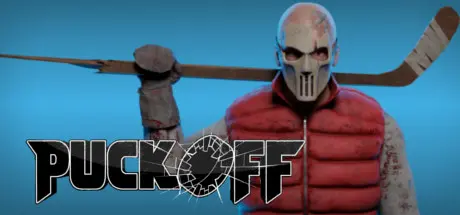
Friday at 12:08 PM4 days PuckOFF Game DetailsRelease Name: PuckOFFGame Version: Build 16628666Release Date: 13 May, 2022Publisher: Kuura PlayhouseDeveloper: Kuura PlayhouseBased On: CSF & GoldbergPuckOFF Direct Download - Game Overview⛸️ Put on your skates and play no rules pond hockey at local rinks🚌 Travel around 10 countries in search for the mysterious Dominator🏅 Unlock gear and skills while trying to figure out your playstyle🏒 And punch some has-beens back to where they belongPuckOFF immerses players in street hockey without rules. The game is designed as a cooperative sports simulator, where you can complete the story campaign alone or with your friends (4 players in total). Users can partake in a MASSIVE 32 country-tournament where only the strongest or the fastest can win.Story progresses through levels on a career map, facing opponents of varying difficulty. Unlock new equipment and accessories along the way that will rival dominator himself. Players will have to hone their hero's skills along the way, creating builds from almost 100 different skills over the course of the story.Build your legacy and rise in the ranks to demolish your opponents while uncovering the story of the ultimate goon. In your travels you will meet new friends and foes, while facing legends that don't play by your rules. Flying sticks, fists, and unfair rules are a sure way to loose the last drops of your sanity.PuckOFF Screenshots PuckOFF TrailerPuckOFF System RequirementsMinimum RequirementsRecommended RequirementsOSWindows 10Windows 10ProcessorIntel® Quad-core or AMD, 2.5 GHz or fasterIntel® Core™ i5 or AMD equivalent, 3.0 GHz or fasterMemory8 GB RAM16 GB RAMGraphicsNVIDIA Geforce® GTX™ 560 or AMD Radeon™ HD 7770NVIDIA GeForce® GTX™ 970 or AMD Radeon™ R9 380XDirectXVersion 11Version 11Storage8 GB available space10 GB available spaceHow to Install PuckOFFNo Installation Needed: The game is pre-installed. Just download and extract.Extract: Right-click the .zip or .rar file and select "Extract Here" or "Extract to folder".Run: Find PuckOFF.exe inside the folder and run it.Game Data & SettingsChange Language: Edit the file located at steam_settings/Configs.user.iniImportant NotesTo support the Game Developer, Get It On Steam.🔥DOWNLOAD AREA🔥🔹3.65 GB🔹Select the server you want to download with ZeiLink.Download





Create an account or sign in to comment