



Theme
Language

Layout
Skip to content
View in the app

A better way to browse. Learn more.

ZeiGames

A full-screen app on your home screen with push notifications, badges and more.

To install this app on iOS and iPadOS
  1. Tap the Share icon in Safari
  2. Scroll the menu and tap Add to Home Screen.
  3. Tap Add in the top-right corner.
To install this app on Android
  1. Tap the 3-dot menu (โ‹ฎ) in the top-right corner of the browser.
  2. Tap Add to Home screen or Install app.
  3. Confirm by tapping Install.

Emergency Call 112 - The Attack Squad Free Download (Build 16890604)
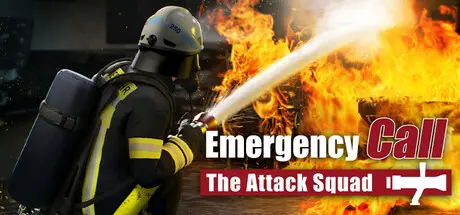
Emergency Call 112 - The Attack Squad

Featured Replies

Emergency Call 112 - The Attack Squad cover art

Emergency Call 112 - The Attack Squad Game Details

Release Name:ย Emergency Call 112 - The Attack Squad

Game Version:ย Build 16890604

Release Date: 18 Dec, 2024

Publisher: Aerosoft GmbH

Developer: Crenetic

Based On:ย CSF & Goldberg

Emergency Call 112 - The Attack Squad Direct Download - Game Overview

As a member of the attack squad, you carry out a variety of exciting missions ranging from apartment and car fires to rescuing people as well as many others. Do you have what it takes to complete the challenges ahead?

When you arrive on the scene, you start where the attack squad begins to operate. The extinguishing water connection is already in place, the turntable ladder is ready for use and all the materials you need for an indoor or outdoor attack are at your disposal right from the start. You are therefore well equipped to successfully complete any operation.

After you arrive you first have to survey the scene to get an overview of the situation. Then you can start to work on the primary and secondary objecยญtives.

Depending on the situation, you will have to decide for yourself in which order you want to complete the tasks. However, be prepared for incidents that may occur during the operation, such as exploยญsions of gas cylinders, if they are not found and extinguished in time. During the missions, remember that your own safety and that of the people involved is always paramount!

Do you have what it takes to master the exciting everyday work of the attack squad?

  • Take on the role of the attack squad and complete a variety of different missions

  • Explore the operation site, decide on the tactical approach and work through the mission

  • Your tactical decisions influence the further course of the mission

  • Every mission is evaluated so that you can constantly improve yourself

  • Use equipment such as a smoke screen, Halliยญgan bar, turntable ladder or various extinguishing agents

  • Play in first-person perspective, manage your inventory, and interact with the characters in the game


Emergency Call 112 - The Attack Squad Screenshots

Emergency Call 112 - The Attack Squad screenshot 1 Emergency Call 112 - The Attack Squad screenshot 2 Emergency Call 112 - The Attack Squad screenshot 3 Emergency Call 112 - The Attack Squad screenshot 4


Emergency Call 112 - The Attack Squad Trailer


Emergency Call 112 - The Attack Squad System Requirements

Minimum Requirements

Recommended Requirements

OS

Windows 10/11

Windows 10/11

Processor

AMD Ryzen 3 1500X / Intel i5-6600K

AMD Ryzen 3 1500X / Intel i5-6600K

Memory

8 GB RAM

16 GB RAM

Graphics

GPU mit 4 GB VRAM, Nvidia GeForce GTX 1060 (4 GB) oder AMD Radeon RX 560 (6GB) (keine Unterstรผtzung von OnBoard Grafikkarten)

GPU mit 4 GB VRAM, Nvidia GeForce GTX 1080 TI (8 GB) oder AMD Radeon RX 560 (6GB) (keine Unterstรผtzung von OnBoard Grafikkarten)

DirectX

Version 11

-

Storage

-

-


How to Install Emergency Call 112 - The Attack Squad

  1. No Installation Needed: The game is pre-installed. Just download and extract.

  2. Extract: Right-click the .zip or .rar file and select "Extract Here" or "Extract to folder".

  3. Run: Find Emergency Call 112 - The Attack Squad.exe inside the folder and run it.

Game Data & Settings

  • Change Language: Edit the file located at steam_settings/Configs.user.ini

Important Notes

๐Ÿ”ฅDOWNLOAD AREA๐Ÿ”ฅ

๐Ÿ”น8.77 GB๐Ÿ”น

Select the server you want to download with ZeiLink.

Download

  • Views 99
  • Created
  • Last Reply

Posted Images

Create an account or sign in to comment

Recently Browsing 0

  • No registered users viewing this page.

Account

Navigation

Search

Search

๐Ÿ”Ž Search Tip
For exact results, search using "game name" .
Without quotes, results may include unrelated titles.

Configure browser push notifications

Chrome (Android)
  1. Tap the lock icon next to the address bar.
  2. Tap Permissions โ†’ Notifications.
  3. Adjust your preference.
Chrome (Desktop)
  1. Click the padlock icon in the address bar.
  2. Select Site settings.
  3. Find Notifications and adjust your preference.
