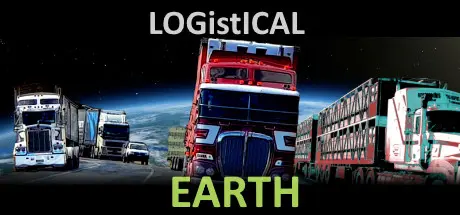
Friday at 09:26 AM4 days LOGistICAL 3: Earth Game DetailsRelease Name: LOGistICAL 3: EarthGame Version: v866 | Build 11954470Release Date: 23 Jul, 2020Publisher: SacadaDeveloper: SacadaBased On: CSF & GoldbergLOGistICAL 3: Earth Direct Download - Game OverviewReady to take on the world? LOGistICAL: Earth is a vast open-world strategy puzzle game where your mission is simple: transport cargo to complete nearly 50,000 cities and over 165,000 businesses across the globe. That’s right, you’re not just driving trucks—you’re solving one giant puzzle of logistics, industry, and transport as you conquer the planet, one delivery at a time.LOGistICAL: Earth has grown massively since its launch. With stunning high-resolution satellite maps, you can zoom in on every corner of the planet, from bustling cities to remote villages. You’ll even find “Fun Facts” and links to dive deeper into each town’s history and culture. Whether you’re a geography buff or just love a good puzzle, you’ll find yourself learning as you play.This game starts small, with countries ready to explore and build your empire. As you progress, you’ll unlock new challenges like air freight, shipping, and the ever-expanding railway network that’ll keep you hopping between continents. Each update adds even more content, all for free. No extra DLCs—just pure, unadulterated global puzzle-solving fun.Here’s where things get tricky. Not all cities are as easy as driving from A to B. Some require complex strategies—upgrading industries, building new ones, and solving transport bottlenecks. Big vehicles can carry a lot, but they can't always reach every corner of the world. You’ll have to make use of your full toolkit: cargo stores, boosts for your transports, and, of course, solving the mystery of those pesky quarantine checkpoints.LOGistICAL: Earth expands as you do. Each completed task unlocks more challenges and rewards, as you connect continents, improve industries, and map out your own global empire. Plus, the cities and industries are to scale and accurately placed, so it’s not just fun—it’s educational too.With free updates and plenty of achievements to earn, LOGistICAL: Earth offers endless hours of adventure, strategy, and a few unexpected twists. So, what are you waiting for? The world’s logistics need your expert touch!LOGistICAL 3: Earth Screenshots LOGistICAL 3: Earth TrailerLOGistICAL 3: Earth System RequirementsMinimum RequirementsRecommended RequirementsOSWindows 7 or later (64 bit)-Processor1.7+ GHz or better-Memory4 GB RAM-Graphics256+MB with 1024x768 resolution-DirectX--Storage300 MB available space-How to Install LOGistICAL 3: EarthNo Installation Needed: The game is pre-installed. Just download and extract.Extract: Right-click the .zip or .rar file and select "Extract Here" or "Extract to folder".Run: Find LogisticalApp.exe inside the folder and run it.Game Data & SettingsChange Language: Edit the file located at steam_settings/Configs.user.iniSave Data Location: */SavesDirImportant NotesTo support the Game Developer, Get It On Steam.🔥DOWNLOAD AREA🔥🔹233 MB🔹Select the server you want to download with ZeiLink.Download





Create an account or sign in to comment