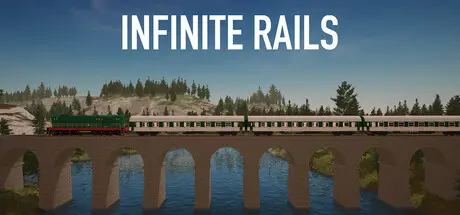
August 19Aug 19 Infinite Rails Game DetailsRelease Name: Infinite RailsGame Version: v0.5.8 | Build 24652980Release Date: 20 Jun, 2025Publisher: Benjamin VoráčDeveloper: Benjamin VoráčBased On: CSF & GoldbergInfinite Rails Direct Download - Game OverviewDive into a procedurally generated world with endless possibilities. Every region you explore offers unique landscapes, resources, and challenges. From rolling plains to rugged mountains, adapt your rail-building strategy to conquer any terrain. Discover new stations and routes as you expand your network. No two worlds are ever the same, ensuring a fresh experience every time you play.Design and build your dream railway with intuitive track-laying tools. Connect stations across vast distances and create efficient routes to optimize transportation. Strategize your track placement to avoid obstacles and minimize travel times. Experiment with complex track layouts, including junctions, loops, and switches. Watch your rail system come to life as trains follow your carefully constructed network.Transport passengers, wood, and wood beams across a dynamic network, and mine and sell coal at the coal mine to earn money, expand your operations, and purchase new trains. Keep a close eye on market price fluctuations to maximize your profits. Keep in mind that resources are limited, so plan strategically and store your goods in storages. You can also speed up production in every industry by placing surrounding booster buildings. Your strategic decisions will shape the growth of your railway empire.Build stations to suit the demands of your growing railway empire or use procedurally generated ones with unique features and challenges. Strategically place them to maximize efficiency and serve passengers and industries. Upgrade stations to handle more trains, resources, and passengers. Every station is a hub of activity that brings your world to life.Step into the cab and take control of your locomotives. For now, you can drive 4 beautiful models:Locomotive 702Chme3V100Class 08Some of which can be renamed and customized with different colors. Drive across your tracks, delivering passengers and cargo through a procedurally generated world. Master the unique handling and fuel types of each train. Upgrade their performance, appearance, and capacity. Feel the thrill of being both a builder and a conductor.Team up with friends to create the ultimate railway network. Work together to lay tracks, build stations, and complete tasks more efficiently. Share your world-building ideas and collaborate on massive projects. Compete or cooperate in a sandbox full of creative opportunities. Multiplayer brings a new dimension of fun to the Infinite Rails experience. Enjoy dedicated servers support.Infinite Rails Screenshots Infinite Rails TrailerInfinite Rails System RequirementsMinimum RequirementsRecommended RequirementsOSWindows 10Windows 11Processori5-11600 / Ryzen 5 5600 or similari7-14700 / Ryzen 7 7700x or fasterMemory8 GB RAM16 GB RAMGraphicsGTX 750 / RX 560 or similarRTX 1060 / RX 5600 or fasterDirectXVersion 11Version 11Storage8 GB available space10 GB available spaceHow to Install Infinite RailsNo Installation Needed: The game is pre-installed. Just download and extract.Extract: Right-click the .zip or .rar file and select "Extract Here" or "Extract to folder".Run: Find Infinite Rails.exe inside the folder and run it.Multiplayer & Online (Optional)Play Online: Download the Online Fix file and apply it to the game folder.Please go to the online fix page and read the guide.Game Data & SettingsChange Language: Edit the file located at steam_settings/Configs.user.iniSave Data Location: %USERPROFILE%/AppData/LocalLow/Intolm/InfiniteRails/WorldsImportant NotesTo support the Game Developer, Get It On Steam.🔥DOWNLOAD AREA🔥🔹1.78 GB🔹Select the server you want to download with ZeiLink.DownloadOnline Fix - (RAR pass: zeigames.com)





Create an account or sign in to comment