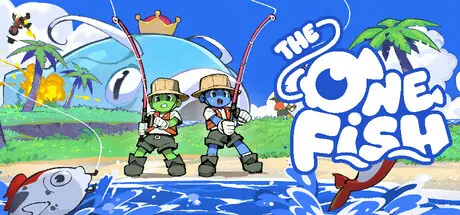
August 19Aug 19 The One Fish Game DetailsRelease Name: The One FishGame Version: v0.7.4 | Build 24744922Release Date: 12 Aug, 2026Publisher: re:tryDeveloper: re:tryBased On: CSF & GoldbergThe One Fish Direct Download - Game OverviewAn online co-op game for 1-6 players where you fish with your friends to feed The One Fish! Catch fish of all shapes, sizes, and whimsical effects to keep up with its ever-growing appetite.The fun in fishing is never knowing what you might catch! From a harmless clownfish to an explosive bomb fish, you never know what's at the end of your line. All that matters is that you've caught enough to feed The One Fish and live to see another day...Some fish possess unique abilities that can affect you or all your friends. They can come in handy or become a huge pain in the fish, so keep an eye out for what you're pulling out of the water!Take a breather in chill mode! Explore a cozy little island alone or with friends and unwind. The One Fish Screenshots The One Fish TrailerThe One Fish System RequirementsMinimum RequirementsRecommended RequirementsOSWindows 10-ProcessorIntel Core i5-Memory8 GB RAM-GraphicsGTX 1060-DirectXVersion 11-Storage3 GB available space-How to Install The One FishNo Installation Needed: The game is pre-installed. Just download and extract.Extract: Right-click the .zip or .rar file and select "Extract Here" or "Extract to folder".Run: Find The One Fish.exe inside the folder and run it.Multiplayer & Online (Optional)Play Online: Download the Online Fix file and apply it to the game folder.Please go to the online fix page and read the guide.Game Data & SettingsChange Language: Edit the file located at steam_settings/Configs.user.iniImportant NotesTo support the Game Developer, Get It On Steam.🔥DOWNLOAD AREA🔥🔹464 MB🔹Select the server you want to download with ZeiLink.DownloadOnline Fix - (RAR pass: zeigames.com)





Create an account or sign in to comment