



Theme
Language

Layout
Skip to content
View in the app

A better way to browse. Learn more.

ZeiGames

A full-screen app on your home screen with push notifications, badges and more.

To install this app on iOS and iPadOS
  1. Tap the Share icon in Safari
  2. Scroll the menu and tap Add to Home Screen.
  3. Tap Add in the top-right corner.
To install this app on Android
  1. Tap the 3-dot menu (โ‹ฎ) in the top-right corner of the browser.
  2. Tap Add to Home screen or Install app.
  3. Confirm by tapping Install.

Corner King: Boxing Tycoon Free Download (v0.0.39)
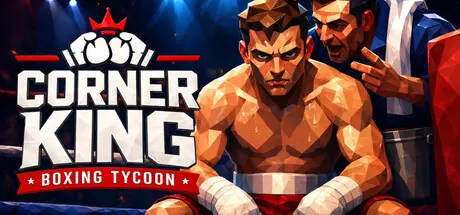
Corner King: Boxing Tycoon

Featured Replies

Corner King: Boxing Tycoon cover art

Corner King: Boxing Tycoon Game Details

Release Name:ย Corner King: Boxing Tycoon

Game Version:ย v0.0.39 | Build 24800868

Release Date: 18 Aug, 2026

Publisher: Temporal Lure

Developer: Temporal Lure

Based On:ย CSF & Goldberg

Corner King: Boxing Tycoon Direct Download - Game Overview

Every save plays differently. Rivalries form naturally. Media covers your gym's riseโ€”or fall. Rival promoters poach your talent. Fighters develop grudges. One bad loss can spiral into contract disputes, injured confidence, and a gym in crisis.

  • Create weekly training plans with drag-and-drop scheduling

  • Balance power, speed, stamina, defense, and technique

  • Manage fatigueโ€”push too hard and your fighter enters the ring broken

  • Track sharpness leading up to fight night

  • Handle fighter morale: they want to fight, they want to win, they want respect

  • Hire trainers with different specializations and personalities

  • Scout international talent across five regions

  • Manage contracts, salaries, and sponsorship deals

  • Watch your bank accountโ€”gyms don't run on glory alone

  • Compete against rival AI gyms fighting for the same fighters and rankings

  • Multiple organizations from regional circuits to world championships

  • Ranking systems, mandatory defenses, and title shots

  • Accept or reject fight offers based on risk vs. reward

  • Build rivalries that drive storylines and media attention

  • Handle random events: bar fights, gym break-ins, celebrity training sessions

  • Watch 3D fights unfold with realistic boxing mechanics

    • Round-by-round scoring with three independent judges

    • Knockout, TKO, split decisions, upsetsโ€”anything can happen

    • Post-fight consequences: injuries, morale shifts, ranking changes


Corner King: Boxing Tycoon Screenshots

Corner King: Boxing Tycoon screenshot 1 Corner King: Boxing Tycoon screenshot 2 Corner King: Boxing Tycoon screenshot 3 Corner King: Boxing Tycoon screenshot 4


Corner King: Boxing Tycoon Trailer


Corner King: Boxing Tycoon System Requirements

Minimum Requirements

Recommended Requirements

OS

Windows 10 (64-bit)

Windows 10/11 (64-bit)

Processor

Intel Core i5-4460 / AMD FX-6300

Intel Core i5-8400 / AMD Ryzen 5 2600

Memory

8 GB RAM

16 GB RAM

Graphics

NVIDIA GTX 760 / AMD Radeon R7 260X (2GB VRAM)

NVIDIA GTX 1060 / AMD RX 580 (6GB VRAM)

DirectX

Version 11

Version 11

Storage

4 GB available space

4 GB available space


How to Install Corner King: Boxing Tycoon

  1. No Installation Needed: The game is pre-installed. Just download and extract.

  2. Extract: Right-click the .zip or .rar file and select "Extract Here" or "Extract to folder".

  3. Run: Find Corner King.exe inside the folder and run it.

Game Data & Settings

  • Change Language: Edit the file located at steam_settings/Configs.user.ini

  • Save Data Location: %USERPROFILE%/AppData/LocalLow/Corner King/Corner King/Saves

Important Notes

๐Ÿ”ฅDOWNLOAD AREA๐Ÿ”ฅ

๐Ÿ”น822 MB๐Ÿ”น

Select the server you want to download with ZeiLink.

Download

  • Views 324
  • Created
  • Last Reply

Posted Images

Create an account or sign in to comment

Recently Browsing 0

  • No registered users viewing this page.

Account

Navigation

Search

Search

๐Ÿ”Ž Search Tip
For exact results, search using "game name" .
Without quotes, results may include unrelated titles.

Configure browser push notifications

Chrome (Android)
  1. Tap the lock icon next to the address bar.
  2. Tap Permissions โ†’ Notifications.
  3. Adjust your preference.
Chrome (Desktop)
  1. Click the padlock icon in the address bar.
  2. Select Site settings.
  3. Find Notifications and adjust your preference.
