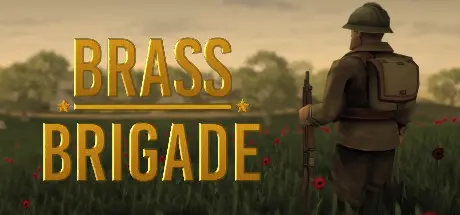
August 18Aug 18 Brass Brigade Game DetailsRelease Name: Brass BrigadeGame Version: Build 21573677Release Date: 22 Nov, 2019Publisher: Henry KucabDeveloper: Henry KucabBased On: CSFBrass Brigade Direct Download - Game OverviewBrass Brigade is a cartoon, World War 2, third AND first person shooter that blends the gameplay of classic WWII shooters like Battlefield 1942/Battlefield Heroes with highly customizable bot matches!Grab your helmet, lock and load your rifle, and prepare to enlist in the Brass Brigade, an homage to classic WWII action games of yester-year. Inspired by genre staples of the early-to-mid 2000s, Brass Brigade lets you join the nation of your choosing in the world's largest armed conflict. Brass Brigade offers a highly customizable and scalable gameplay experience that lets you enjoy these beautifully cartoony reimaginings of historical battles just the way you want!6 fully-featured historical nations, including the United States, Great Britain, The Soviet Union, France, Nazi Germany, and The Empire of Japan.22 of WWII's most iconic battles across the Eastern, Western, North-African, and Pacific fronts!Third AND first person camera modes!Fully customizable number of AI allies & enemies! Scale the number of bots on each team based on the power of your PC!Fully customizable battles! Control the parameters of each battle to create everything from small skirmishes to all-out warfare!Mix and match Allied & Axis teams on any map to create dozens of different engagements.Micro-destruction - fences, sandbags, low walls, and other obstacles can be destroyed with tanks and explosives.Customizable bot AI - adjust how aggressive and intelligent bots are, how accurately they shoot, and how far they can see!An incredibly diverse and authentic flavoring of WWII weaponry, ranging from M1 Garands that go *ping* to swords and flamethrowers.Driveable vehicles, callable air support units, artillery, and a host of other explosive reinforcements at your disposal.Extensive graphical options, including support for ultrawide monitors (21:9), widely adjustable FOV, and more.Active ragdoll effects that send your enemies flying through the air when you land the perfect rocket blast!Brass Brigade Screenshots Brass Brigade TrailerBrass Brigade System RequirementsMinimum RequirementsRecommended RequirementsOSWindows 7Windows 10ProcessorDual Core Processor @ 2.0GHzQuad Core Processor @ 3.0GHzMemory1 GB RAM2 GB RAMGraphics*Integrated Graphics for Low Settings, GTX560, AMD 5770, or Equivalent, 1GB VRAMGTX750ti or AMD Equivalent, 1.0GB+ VRAMDirectX--Storage4 GB available space4 GB available spaceHow to Install Brass BrigadeNo Installation Needed: The game is pre-installed. Just download and extract.Extract: Right-click the .zip or .rar file and select "Extract Here" or "Extract to folder".Run: Find Brass Brigade.exe inside the folder and run it.Important NotesTo support the Game Developer, Get It On Steam.🔥DOWNLOAD AREA🔥🔹1.01 GB🔹Select the server you want to download with ZeiLink.Download





Create an account or sign in to comment