



Theme
Language

Layout
Skip to content
View in the app

A better way to browse. Learn more.

ZeiGames

A full-screen app on your home screen with push notifications, badges and more.

To install this app on iOS and iPadOS
  1. Tap the Share icon in Safari
  2. Scroll the menu and tap Add to Home Screen.
  3. Tap Add in the top-right corner.
To install this app on Android
  1. Tap the 3-dot menu (โ‹ฎ) in the top-right corner of the browser.
  2. Tap Add to Home screen or Install app.
  3. Confirm by tapping Install.

LEGO Star Wars III - The Clone Wars Free Download (Build 19308)
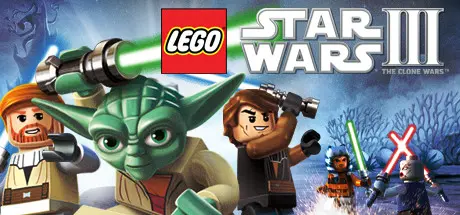
LEGO Star Wars III - The Clone Wars

Featured Replies

LEGO Star Wars III - The Clone Wars cover art

LEGO Star Wars III - The Clone Wars Game Details

Release Name:ย LEGO Star Wars III - The Clone Wars

Game Version:ย Build 19308

Release Date: 22 Mar, 2011

Publisher: LucasArts, Lucasfilm, Disney

Developer: Traveller's Tales

Based On:ย CSF & Steamless

LEGO Star Wars III - The Clone Wars Direct Download - Game Overview

The beloved and critically acclaimed LEGOยฎ Star Warsโ„ข franchise is back. LEGO Star Wars III:The Clone Wars, combines the epic stories and iconic characters from the Star Wars universe and hit animated TV series Star Wars: The Clone Warsโ„ข with all new gameplay features.

Players will enjoy brand new game mechanics allowing them to create, control and explore in a galaxy far, far away like never before. Promising breathtaking visuals as well as new characters and levels, the game also features the signature tongue-in-cheek humor from the LEGO universe. With over 20 story-based missions and 40 bonus levels spanning the entire Clone Wars era, LEGO Star Wars III: The Clone Wars will allow fans to explore endlessly and laugh their way through the Star Wars galaxy in the most humorous, accessible and action-packed LEGO game to date.

  • New Story โ€“ For the first time, players will experience their favorite stories from Star Wars: The Clone Wars, retold in the amazing LEGO world that fans know and love.

  • Massive Ground Battles โ€“ Brand new to the LEGO Star Wars experience, players will take control of battalions of clone troopers against the relentless droid army - building bases, deploying vehicles and calling in reinforcements to defeat opponents.

  • SceneSwap โ€“ Authentic to the Star Wars experience, a new feature allows players to take control of multiple teams in separate locations. Working together to complete various objectives, players will control each team through the press of a button, while playing in single player or in multiplayer co-op modes.

  • All New Boss Battles โ€“ For the first time in the LEGO Star Wars franchise, fans will fight against massive bosses as seen in The Clone Wars animated series, including Gor, the epic Zillo Beast and many other favorites.

  • Multi-Layered Space Battles โ€“ Players will be able to take off in their favorite ships to navigate and fly through multi-layered combat throughout the galaxy.

  • New Combat Abilities โ€“ Characters will have more dynamic moves allowing players greater freedom to battle their opponents. Characters will also have new lightsaber abilities including Lightsaber Cutting, Lightsaber Throwing, and Lightsaber Climbing. The game will also feature new grappling abilities allowing players to climb their way through puzzles and defeat enemies.

  • Explore the Galaxy โ€“ Players will be able to explore exotic locations in a variety of ships throughout 16 different star systems. Fans will play as villainous Separatists, the noble Republic heroes or even as bounty hunters, tracking down characters across the galaxy.

  • Expanded Force Abilities โ€“ Using the Force in all new ways to control LEGO objects, players will solve puzzles, access new areas, pick up and throw enemies - even turning them into weapons.

  • Brand New Clone Weapons, Vehicles and Characters โ€“ New clone weapons including rapid fire guns and rocket launchers, as well as all new massive capital ships to explore, such as Anakin Skywalkerโ€™s flagship the Resolute and Grievousโ€™ devastating warship , the Malevolence. Players will also navigate through the galaxy in new vehicles such as the Republic gunship, Clone Turbo Tank and even Anakinโ€™s Jedi Intercepter and the Twilight. Fans will also discover their favorite classic characters such as Darth Vader, Chewbacca and Luke Skywalker.

  • Puzzle Solving โ€“ The game will feature all new puzzles that reward creative thinking through the use of teamwork and unique building situations only possible in a LEGO galaxy far, far away.

  • All new lighting and animations โ€“ A brand new engine brings characters to life, giving players a whole new level of control in a vibrant environment, unlike anything ever seen before in a LEGO game.

  • Split Screen โ€“ Improved dynamic split screen for multi-player co-op with jump in/jump out abilities for friends and families to play together.


LEGOยฎ Star Warsโ„ข III - The Clone Warsโ„ข Screenshots

LEGO Star Wars III - The Clone Wars screenshot 1 LEGO Star Wars III - The Clone Wars screenshot 2 LEGO Star Wars III - The Clone Wars screenshot 3 LEGO Star Wars III - The Clone Wars screenshot 4


LEGO Star Wars III - The Clone Wars Trailer


LEGO Star Wars III - The Clone Wars System Requirements

Minimum Requirements

Recommended Requirements

OS

Windows XP SP3, Windows Vistaยฎ SP2, or Windows 7

-

Processor

Intel P4 2.24 GHz or AMD Athlon 64

Intel Core 2 Duo or AMD Athlon 64 X2

Memory

512 MB RAM

-

Graphics

256 MB Video Memory with Shader 3.0 support; ATI Radeon X1300 / NVIDIA GeForce FX 5800 /Intel GMA 3-Series

256 MB Video Memory with Shader 3.0 support; ATI Radeon HD 2900 / NVIDIA GeForce 9800

DirectX

-

-

Storage

-

-


How to Install LEGO Star Wars III - The Clone Wars

  1. No Installation Needed: The game is pre-installed. Just download and extract.

  2. Extract: Right-click the .zip or .rar file and select "Extract Here" or "Extract to folder".

  3. Run: Find LEGOCloneWars.exe inside the folder and run it.

Game Data & Settings

  • Save Data Location: %USERPROFILE%/AppData/Roaming/LucasArts/LEGOStarWarsIII/SavedGames

Important Notes

๐Ÿ”ฅDOWNLOAD AREA๐Ÿ”ฅ

๐Ÿ”น6.71 GB๐Ÿ”น

Select the server you want to download with ZeiLink.

Download

  • Views 89
  • Created
  • Last Reply

Posted Images

Create an account or sign in to comment

Recently Browsing 0

  • No registered users viewing this page.

Account

Navigation

Search

Search

๐Ÿ”Ž Search Tip
For exact results, search using "game name" .
Without quotes, results may include unrelated titles.

Configure browser push notifications

Chrome (Android)
  1. Tap the lock icon next to the address bar.
  2. Tap Permissions โ†’ Notifications.
  3. Adjust your preference.
Chrome (Desktop)
  1. Click the padlock icon in the address bar.
  2. Select Site settings.
  3. Find Notifications and adjust your preference.
