



Theme
Language

Layout
Skip to content
View in the app

A better way to browse. Learn more.

ZeiGames

A full-screen app on your home screen with push notifications, badges and more.

To install this app on iOS and iPadOS
  1. Tap the Share icon in Safari
  2. Scroll the menu and tap Add to Home Screen.
  3. Tap Add in the top-right corner.
To install this app on Android
  1. Tap the 3-dot menu (โ‹ฎ) in the top-right corner of the browser.
  2. Tap Add to Home screen or Install app.
  3. Confirm by tapping Install.

LEGO Batman 2: DC Super Heroes Free Download (Build 19482212)
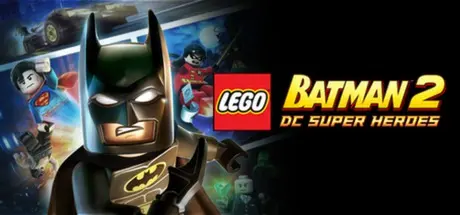
LEGO Batman 2: DC Super Heroes

Featured Replies

LEGO Batman 2: DC Super Heroes cover art

LEGO Batman 2: DC Super Heroes Game Details

Release Name:ย LEGO Batman 2: DC Super Heroes

Game Version:ย Build 19482212

Release Date: 22 Jun, 2012

Publisher: Warner Bros. Interactive Entertainment

Developer: TT Games

Based On:ย CSF & Steamless

LEGO Batman 2: DC Super Heroes Direct Download - Game Overview

Legends Unite! The Dynamic Duo of Batman and Robin join other famous super heroes from the DC Universe including Superman, Wonder Woman and Green Lantern to save Gotham City from destruction at the hands of the notorious villains Lex Luthor and the Joker.

  • Collect 50 DC Comics characters and flex your new super abilities--soar through the air with free-roaming flight, freeze and push objects with Super-Breath, and heat up and cut holes through objects with Heat Vision.

  • Master new suits and gadgets such as Batmanโ€™s Power Suit and Robinโ€™s Hazard Suit equipped with a Pressure Cannon that can absorb and dispense hazardous liquids.

  • Players can also explore Gotham City by walking, flying or unlocking and controlling a variety of cool vehicles including the Batmobile, Batwing and Batboat.

  • For the first time in a LEGO video game, hear the LEGO characters talk!

  • Enjoy the game with friends and family using easy drop-in/drop-out co-op play that features dynamic split screen.


LEGO Batman 2: DC Super Heroes Screenshots

LEGO Batman 2: DC Super Heroes screenshot 1 LEGO Batman 2: DC Super Heroes screenshot 2 LEGO Batman 2: DC Super Heroes screenshot 3 LEGO Batman 2: DC Super Heroes screenshot 4


LEGO Batman 2: DC Super Heroes Trailer


LEGO Batman 2: DC Super Heroes System Requirements

Minimum Requirements

Recommended Requirements

OS

Windows XP, Windows Vista or Windows 7

-

Processor

Intel Core 2 Duo 2 GHz or AMD Athlon 64 X2 3800+ - 2x 2000 MHz

Quad core CPU 2.7 GHz

Memory

1 GB RAM

2 GB RAM

Graphics

NVIDIA 7600, 7800, 8xxx or better, ATI 1950 or better

NVIDIA GeForce 8800 or better; ATI HD3870 or better

DirectX

100% DirectX 9.0c compatible Audio Device

-

Storage

-

-


How to Install LEGO Batman 2: DC Super Heroes

  1. No Installation Needed: The game is pre-installed. Just download and extract.

  2. Extract: Right-click the .zip or .rar file and select "Extract Here" or "Extract to folder".

  3. Run: Find LEGOBatman2.exe inside the folder and run it.

Game Data & Settings

  • Save Data Location: %USERPROFILE%/AppData/Roaming/Warner Bros. Interactive Entertainment/LEGO Batman 2/SavedGames

Important Notes

๐Ÿ”ฅDOWNLOAD AREA๐Ÿ”ฅ

๐Ÿ”น3.55 GB๐Ÿ”น

Select the server you want to download with ZeiLink.

Download

  • Views 89
  • Created
  • Last Reply

Posted Images

Create an account or sign in to comment

Recently Browsing 0

  • No registered users viewing this page.

Account

Navigation

Search

Search

๐Ÿ”Ž Search Tip
For exact results, search using "game name" .
Without quotes, results may include unrelated titles.

Configure browser push notifications

Chrome (Android)
  1. Tap the lock icon next to the address bar.
  2. Tap Permissions โ†’ Notifications.
  3. Adjust your preference.
Chrome (Desktop)
  1. Click the padlock icon in the address bar.
  2. Select Site settings.
  3. Find Notifications and adjust your preference.
